

You have finished the manuscript. The hard part is supposed to be over. Yet, for thousands of authors in 2026, the real headache begins when they try to turn that Word document into a professional-looking book. Formatting is the unglamorous bottleneck that kills momentum.
If you are reading this, you are likely stuck at a crossroads between the two biggest names in the industry: Vellum and Atticus.
Here is the fast answer: If you own a Mac and want a flawless, frictionless experience for fiction, Vellum remains the superior, albeit more expensive, choice. If you are a Windows user, need advanced features for nonfiction (like footnotes), or want a budget-friendly lifetime deal, Atticus is your winner.
- Vellum: Best for Mac users writing fiction. It is faster, more stable, and produces “Apple-quality” design with zero effort.
- Atticus: Best for PC users and nonfiction. It includes features like footnotes and custom theme builders at a lower, one-time price.
- The Main Difference: Vellum is polished software that rarely glitches; Atticus is a browser-based tool that offers more features but can suffer from lag on large files.
The Core Problem: Why Word Isn't Enough
Most authors start in Microsoft Word or Google Docs. While these are excellent for getting words on the page, they are terrible for layout. Hidden code, rogue page breaks, and inconsistent headers can ruin a reader's experience.
Dedicated ebook formatting software strips away the junk code and applies professional CSS (Cascading Style Sheets) automatically. This ensures your book looks as good on a Kindle Paperwhite as it does on an iPad or in a physical paperback.
When exploring the best software for book layout, you will inevitably narrow it down to Vellum and Atticus. Let's break down exactly how they compare in 2026.
At a Glance: The Comparison Table
| Feature | Vellum | Atticus |
|---|---|---|
| Operating System | Mac Only (macOS) | Windows, Mac, Linux, Chromebook |
| Price | $199 (Ebook) / $249 (Print+Ebook) | $147 (Lifetime, All Features) |
| Platform Type | Desktop Application | Web-Based App (PWA) |
| Learning Curve | Near Zero | Low to Moderate |
| Customization | Limited (Presets) | High (Custom Theme Builder) |
| Nonfiction Tools | Basic | Advanced (Footnotes, Endnotes) |
| Stability | Rock Solid | Good (Occasional lag on large files) |
| Export Formats | EPUB, PDF, DOCX | EPUB, PDF, DOCX |
Vellum: The "Apple" of Formatting Tools
Vellum has held the title of "gold standard" for indie authors for nearly a decade. If you have ever opened a self-published book that looked indistinguishable from a Big Five publisher's release, it was likely formatted in Vellum.
The Experience
Vellum operates on a "what you see is what you get" basis, but it restricts you to prevent design errors. You cannot break a Vellum book. The interface is intuitive. You import your Word file, and Vellum automatically detects chapters. From there, you select a "Style" from their pre-set library.
The previewer is instantaneous. You can toggle between Kindle, iPhone, and print views instantly. It handles widows and orphans (single lines left at the top or bottom of a page) automatically, keeping your pages balanced.
The Cost of Excellence
Quality comes at a premium. Vellum uses a tiered pricing model. According to current pricing structures, a license for generating Unlimited Ebooks costs around $199.99, while the "Vellum Press" package (which includes Print generation) jumps to $249.99.
For many authors, this is a steep entry fee. However, the cost is often justified by the time saved. You can format a novel in Vellum in under 30 minutes.
The Major Drawback: Mac Exclusivity
Vellum's biggest hurdle is hardware. It only runs on macOS. If you are a PC user, you have two bad options: buy a Mac (expensive) or use a service like MacinCloud (slow and frustrating). Vellum has shown zero interest in developing a Windows version, leaving a massive gap in the market that Atticus has happily filled.
Atticus: The All-in-One Challenger
Atticus launched with a bold promise: to be the "Vellum killer" for PC users. Created by Dave Chesson (the mind behind Publisher Rocket), Atticus is a Progressive Web App (PWA). This means it runs in your browser but can be installed on your desktop and works offline.
The Feature Set
Atticus does not just format; it wants to be your writing processor too. You can write your book directly inside Atticus, similar to Google Docs, and then switch to "Formatting" mode with a single click.
It shines where Vellum falls short. Nonfiction authors prefer Atticus because it handles footnotes and endnotes correctly. Vellum often strips these out or mishandles them during import. Atticus also offers a Custom Theme Builder, allowing you to choose fonts, chapter header sizes, and image placements with granular control.
According to Atticus's own feature list, the platform provides over 1,500 fonts and 17+ pre-built themes, giving authors significantly more visual control than Vellum's locked-down presets.
The Price Advantage
Atticus simplifies the investment. There are no tiers. You pay $147 once, and you get everything: ebook formatting, print formatting, writing tools, and all future updates. This is significantly cheaper than the full Vellum Press package.
The Performance Hiccups
Because Atticus is browser-based, it relies on your internet browser's rendering engine. In 2026, while much faster than its launch version, users with massive manuscripts (100k+ words) still report input lag. It can feel sluggish compared to Vellum's native speed. If you have a slow computer or weak internet connection, Atticus can sometimes struggle to keep up with rapid typing or complex previews.
Stop Staring at a Blank Page
Publy is a distraction-free book editor with AI built in. Brainstorm plot ideas, get instant chapter reviews, or rewrite clunky paragraphs. 3 million free words included.

Detailed Breakdown: Formatting for Print
Print formatting is where the differences become tangible. A digital file flows; a print file is static.
Vellum's Print Output
Vellum creates beautiful print PDFs. It handles margins, gutters, and page numbers automatically. You barely need to think about it. However, you cannot easily change the font size of specific elements or move a chapter heading three pixels to the left. You take what Vellum gives you—which is usually excellent, but rigid.
Atticus's Print Output
Atticus offers more knobs and dials. You can adjust font sizes for specific headers, change the bleed settings for images, and create full-page callouts. For authors who want a unique look for their paperback, Atticus is the better tool.
When you are ready to upload, you will need a step-by-step guide on formatting for print and ebook to ensure your ISBNs and trim sizes match your distributor's requirements.
Detailed Breakdown: Formatting for Ebook
Ebooks are dynamic. The text flows differently depending on the user's device settings.
Both tools generate clean, validated EPUB files that Amazon KDP, Kobo, and Apple Books accept without issue.
- Vellum: The resulting code is lean and clean. It consistently passes validation checks.
- Atticus: Also produces clean EPUBs, though early versions had issues with "bloat" code. In 2026, these issues are largely resolved.
One critical factor is the global market. With global ebook revenue projected to reach $17.7 billion in 2026, ensuring your file works on every device globally is vital. Vellum has a slightly longer track record of reliability here.
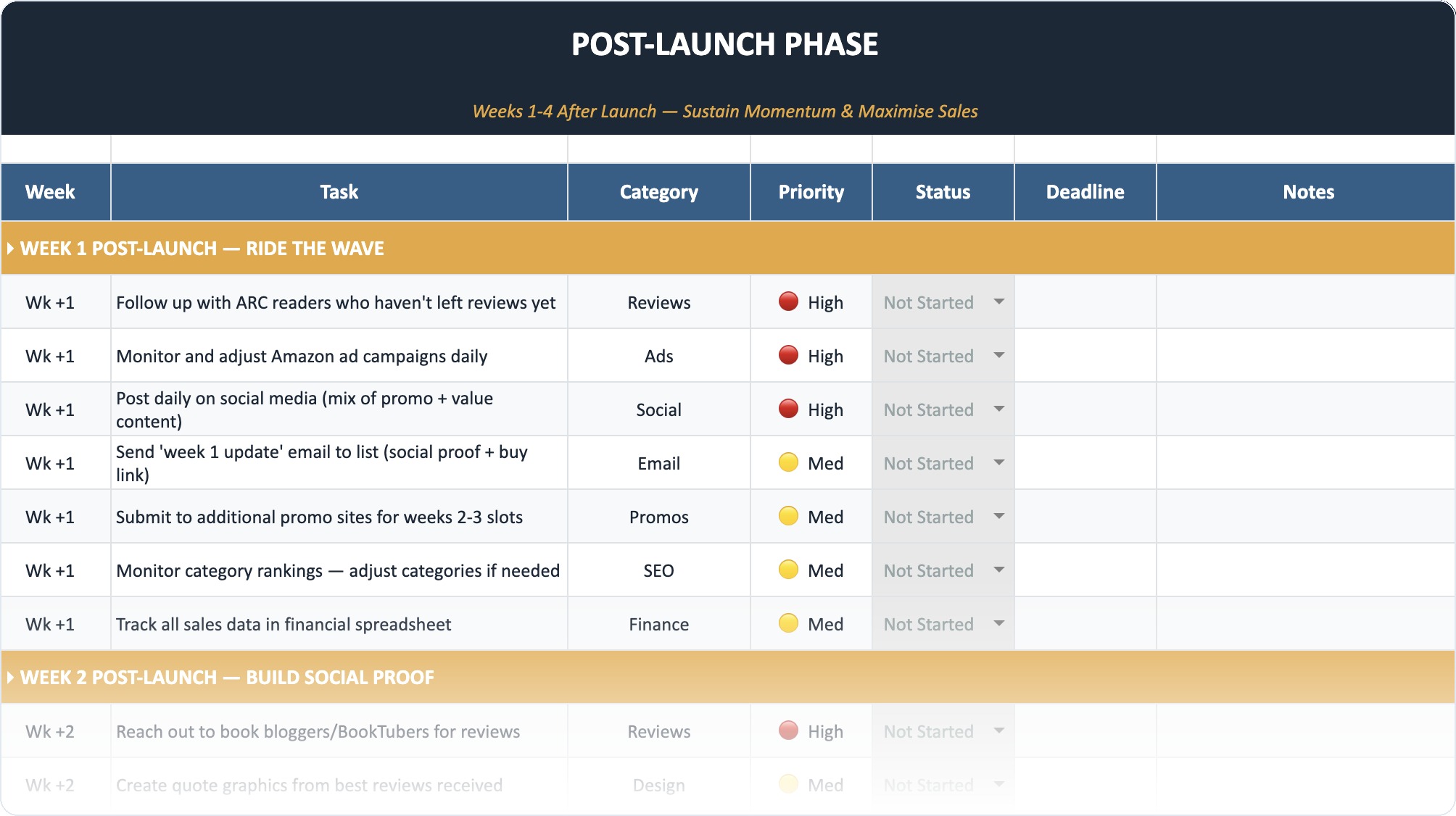
The Self-Publishing Launch Checklist (2026)
A week-by-week spreadsheet that walks you through every step of launching your book. Available as an Excel file and Google Sheet.
The Writing Experience: Can You Ditch Scrivener?
Atticus markets itself as a writing tool, not just a formatter. It tracks your word count and allows you to set goals.
However, for serious drafting, neither tool replaces a dedicated powerhouse like Scrivener.
- Vellum: Has no writing features. It is strictly for import and layout. You cannot write your book in Vellum.
- Atticus: You can write in it, but it lacks the structural organization (corkboard, binder view) that complex novelists need. It is closer to a slightly more advanced Google Doc.
Most professional authors still write in Scrivener or Word and only move to Vellum or Atticus for the final polish.
Ease of Use vs. Customization
This is the philosophical split between the two companies.
Vellum believes it knows better than you. It restricts font choices to a curated list of typography that looks good on paper. It prevents you from using Comic Sans for your body text. It protects the user from making ugly books.
Atticus believes you should have control. If you want to use a specific Google Font, you can. If you want your chapter headers to be massive, you can do that. This freedom is great for designers but dangerous for beginners who might accidentally create a messy layout.
When deciding between matte and glossy covers or choosing your interior font, remember that readability is king. Vellum forces readability; Atticus suggests it but allows you to break the rules.
Import and Export Capabilities
Importing
- Vellum: Imports DOCX files. It relies on you using "Heading 1" and "page break" styles in Word correctly. If your Word doc is a mess, Vellum usually guesses right, but not always.
- Atticus: Imports DOCX, RTF, and EPUB. Atticus is arguably better at importing an existing EPUB file if you need to fix an old book but lost the source file.
Exporting
Both export EPUB and PDF.
One distinct advantage of Vellum is the ability to generate "Store Specific" links. You can generate a generic EPUB, or specific files for Kindle, Apple, and Kobo, with store links in the back matter automatically adjusted. Atticus has added similar functionality, but Vellum's implementation feels smoother.
Once you have your files, you will be uploading to distributors. It is worth comparing IngramSpark vs KDP to see which platform requires which specific PDF settings, especially regarding bleed and trim marks.
Support and Updates
- Vellum: Updates are infrequent but significant. You buy the software, and it works. They rarely break things. However, major version upgrades (like Vellum 2.0 back in the day) might require a new purchase or upgrade fee.
- Atticus: Updates are constant. Because it is web-based, you log in one day and there is a new feature. The team is aggressive about adding features users ask for. The lifetime pricing model means you never pay for these upgrades.
Who is Vellum For?
Vellum is for the Mac-owning fiction author who treats their time as their most valuable asset. If you are publishing a series of romance novels or thrillers, you do not need complex footnotes. You need a beautiful book, fast. You are willing to pay $250 to never think about formatting again.
Who is Atticus For?
Atticus is for three groups:
- PC Users: It is the best option on Windows, period.
- Nonfiction Authors: If you have charts, graphs, and footnotes, Vellum will frustrate you. Atticus handles these complexities much better.
- Budget-Conscious Authors: $147 for a lifetime license is a steal compared to Vellum's pricing.
Common User Complaints (Real Talk)
No software is perfect. Here is what users are actually complaining about in forums and Facebook groups in 2026:
Vellum Complaints:
- "Why is there still no Windows version?"
- "I want to change the font size of just the drop cap, but I can't."
- "The price is too high for software that does one thing."
Atticus Complaints:
- "The app gets slow when my book is over 80,000 words."
- "The spell check is weak compared to Word."
- "Sometimes the PDF export takes a long time to generate."
The Final Verdict
In the battle of Vellum vs Atticus, the winner depends entirely on your hardware and your genre.
Vellum is the luxury sports car. It is expensive, fast, beautiful, and built for a specific type of driver (Mac users). If you have the budget and the hardware, it is still the smoothest experience on the market.
Atticus is the reliable SUV. It goes everywhere (cross-platform), carries more cargo (features), and costs less. It might not handle the corners as tightly as Vellum, but it gets the job done for a wider range of people.
If you are a PC user, the debate is over. Buy Atticus. It is vastly superior to struggling with Word or paying a formatter $50 per book.
If you are a Mac user, download the free trial of Vellum (you can design but not export) and try Atticus's demo. See which interface clicks with your brain. In the end, the best tool is the one that gets your book out of your computer and into the hands of readers.
Frequently Asked Questions
Is Vellum worth the high price tag?
For many professional authors, yes. If you publish multiple books a year, the speed and stability of Vellum pay for themselves quickly. The time saved not fighting with formatting glitches allows you to write more books.
Can I use Atticus offline?
Yes and no. Atticus is a Progressive Web App (PWA). You can write and format offline if you keep the app open, but you need an internet connection to log in initially and to export your final files.
Does Atticus work on an iPad?
Yes, because Atticus runs in a browser, you can use it on an iPad, Chromebook, or even a Surface tablet. Vellum is strictly for macOS desktop/laptop devices.
Which handles images better?
Atticus generally offers more flexibility for image placement, allowing text wrapping and full-bleed images more easily than Vellum. However, Vellum's image handling is more stable and less likely to cause export errors.
Can I transfer my Vellum files to Atticus?
Not directly. You would need to export your Vellum file as a DOCX or RTF and then import that into Atticus. You will likely need to redo some formatting settings after the transfer.
Do professional formatters use these tools?
Yes. Many freelance formatters on Fiverr and Upwork use Vellum or Atticus to do their work. owning the software yourself removes the need to pay a freelancer every time you find a typo.