

- Own your platform: Social media algorithms change constantly; your website is the only piece of the internet you truly control.
- Prioritize the reader journey: Structure your navigation so visitors can find your books and newsletter signup integration in under five seconds.
- Mobile-first design is mandatory: With over 62% of traffic coming from phones, a non-responsive site actively hurts your search rankings.
- Load speed matters: Users form an opinion about your site in 0.05 seconds; slow sites lose readers before they see your book cover.
You finished your manuscript. You edited the draft. You even have a cover design ready. Now you face a different beast entirely: the author website.
I see many writers freeze at this stage. You might think you need to be a code wizard or hire a designer for thousands of dollars to look professional. That is simply not true. What you really need is a plan. You need a functional, clean space that sells your books while you sleep.
Social media is rented land. Instagram or TikTok can bury your reach overnight with a shadowban or an algorithm update. Your website is your house. You own the keys. In 2026, having a central hub is the difference between a hobbyist and a career author. This checklist covers everything you need to build that hub, from the technical foundation to the content that keeps readers coming back.
Why a Dedicated Website Matters More Than Social Media
I often hear authors ask if they can just use a Facebook page or a Linktree as their main presence. The answer is a hard no. A dedicated website serves as the anchor for your entire author brand. It establishes authority in a way a social profile never can.
When a reader finishes your book and wants more, they type your name into Google. If they find an organized website, they sign up for your updates. If they find a chaotic Twitter feed, they move on. Your website has one job: to capture that interest and turn a casual reader into a lifelong fan.
According to recent web traffic data, mobile devices now account for nearly 63% of global web traffic. This means your digital home must look perfect on a phone screen. If you rely solely on social platforms, you are at the mercy of their design changes. A website gives you control over how you present your work to the majority of your audience who browse on smartphones.
Stop Staring at a Blank Page
Publy is a distraction-free book editor with AI built in. Brainstorm plot ideas, get instant chapter reviews, or rewrite clunky paragraphs. 3 million free words included.

Phase 1: The Technical Foundation
Before we worry about colors or fonts, we must get the structure right. Think of this as pouring the concrete slab for your house. If this part cracks, the whole building sinks.
Domain Name Selection
Your domain name should be your author name. Not your book title. Not a clever pun. Just YourName.com. If your name is common, try YourNameBooks.com or YourNameAuthor.com.
This future-proofs your career. You might write a sci-fi trilogy today and a romance novel in five years. Your name is the only constant. Avoid hyphens or difficult spellings. You want something a reader can type easily after hearing it on a podcast.
Hosting and Speed
Hosting is where your website lives. Cheap hosting often leads to slow load times. Speed is vital. User behavior studies show that visitors judge a website's credibility in about 0.05 seconds. If your page takes three seconds to load, you have already lost a chunk of your audience.
I recommend managed hosting providers that handle security and updates for you. It costs a little more than shared hosting, but the peace of mind is worth it. You do not want to spend your writing time fixing server errors.
SSL Certificate
This is the little padlock icon next to your URL. It encrypts data between your site and the visitor. Google penalizes sites without SSL. Most hosts include this for free now. Check that it is active before you launch.
Phase 2: Choosing Your Platform
The debate usually lands on WordPress for authors versus builders like Wix or Squarespace. Here is how I break it down.
WordPress (Self-Hosted)
WordPress powers over 40% of the web for a reason. It offers limitless customization. You own your content completely. If you want to add a store later, you can. If you want complex forums, you can.
- Pros: Total control, excellent SEO, thousands of plugins.
- Cons: Higher learning curve, you are responsible for maintenance.
- Best for: Career authors who want to build a long-term asset.
Squarespace
Squarespace is the designer's choice. The templates are beautiful out of the box. It is a "walled garden," meaning they host it and manage the software. You just drag and drop.
- Pros: Stunning designs, very easy to use, great for beginners.
- Cons: Harder to customize deeply, monthly fees add up.
- Best for: Authors who want a gorgeous site fast and hate technical tasks.
Wix
Wix is extremely flexible with its unstructured editor. You can put any element anywhere. However, this freedom can lead to messy designs if you lack a good eye.
- Pros: True drag-and-drop freedom.
- Cons: Can be slow to load, difficult to switch templates later.
- Best for: creative types who want specific visual layouts without coding.
If you are looking for guidance on where to start, you might check out resources on choosing the best self-publishing platforms, as your publishing choice often dictates which website integrations you need.
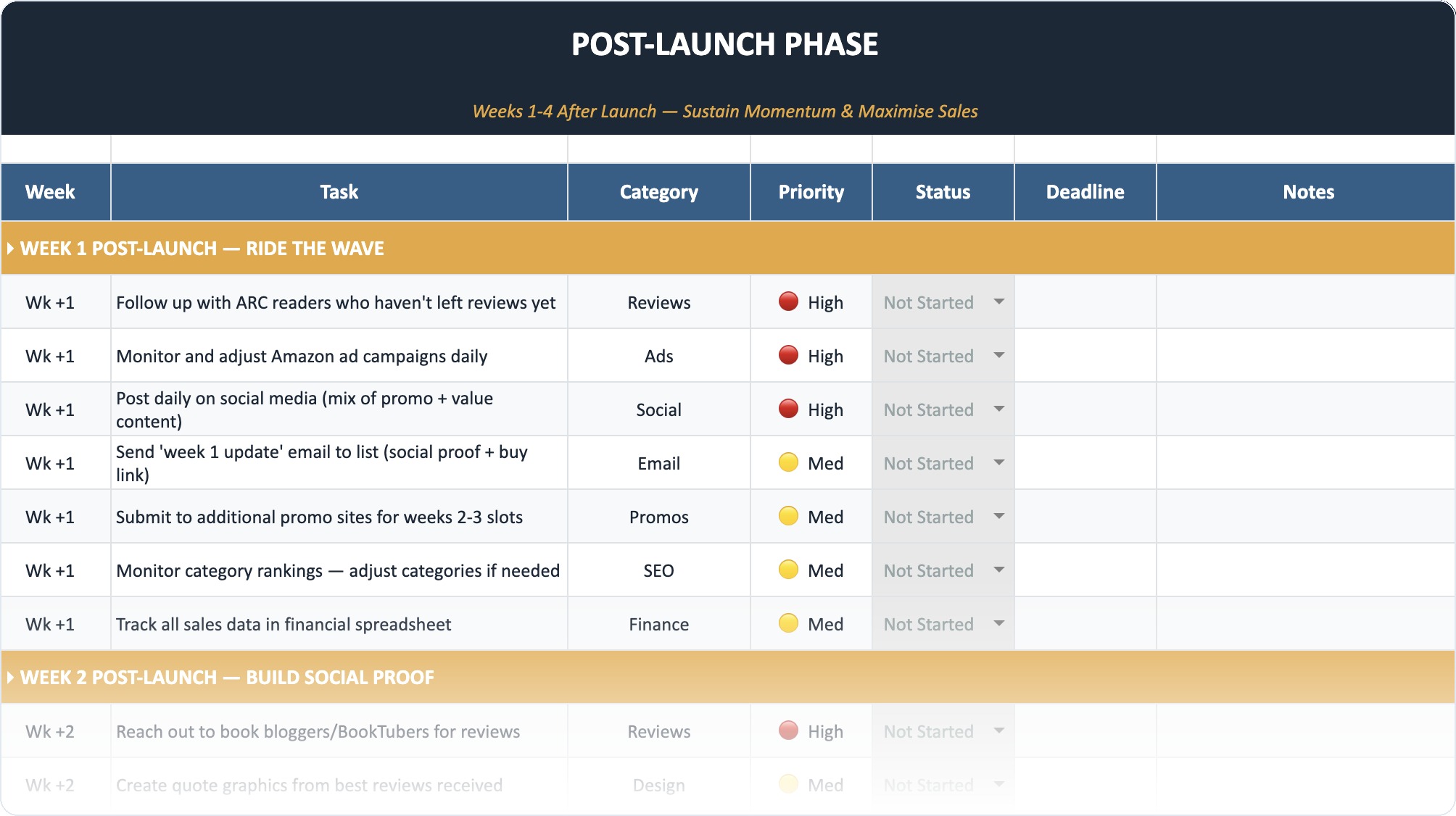
The Self-Publishing Launch Checklist (2026)
A week-by-week spreadsheet that walks you through every step of launching your book. Available as an Excel file and Google Sheet.
Phase 3: Design and Branding
Your design communicates genre. A thriller author’s site should look dark and moody. A romance author’s site should feel warm and inviting.
Visual Hierarchy
Readers scan; they do not read. Use large headings and short paragraphs. Your most important call to action (usually "Buy the Book" or "Join the Newsletter") should be the most visually distinct element on the page.
Research indicates that 38% of people stop engaging if a website's layout is unattractive. This does not mean you need flashy animations. It means you need clean alignment, readable fonts, and professional images.
Color Palette and Fonts
Stick to two or three main colors. One background color (usually white or light gray), one text color (dark gray or black), and one accent color for buttons and links.
For fonts, readability beats style. Use a simple sans-serif or serif font for body text. save the fancy script fonts for headers or your logo. If a reader has to squint to read your blog, they will close the tab.
Phase 4: Core Pages Checklist
Every page on your site needs a specific purpose. Do not add pages just to fill space.
1. The Homepage
This is your elevator pitch. Within seconds, a visitor must know:
- Who you are.
- What genre you write.
- What your latest book is.
Include a large image of your book cover, a short tagline, and a direct link to buy or learn more. Do not clutter this page with your entire life story.
2. The Books Page
This is your catalogue. List your books in order. If you have series, group them clearly.
Each book entry needs:
- High-resolution 3D cover image.
- A gripping blurb (back cover copy).
- Buy links to all major retailers (Amazon, B&N, Kobo, Apple).
- A short snippet or sample chapter.
3. The About Page
Your bio connects you to the reader. Write it in the first person if you want to be approachable, or third person for a more formal tone. Include a professional headshot.
Pro tip: Include something personal. Do you love knitting? Do you have three cats? These details make you human and memorable.
4. The Newsletter Sign-Up (Mailing List)
This is the single most valuable asset for an author. You need a dedicated page or a prominent section for mailing list signup. Offer an incentive. "Join my list" is boring. "Get a free prequel novella when you join" is compelling.
5. Contact Page
Make it easy for agents, publishers, or superfans to reach you. Use a simple contact form rather than listing your email address directly to avoid spam bots. If you have representation, list your agent’s contact info here too.
6. Media/Press Kit
If you want to get booked on podcasts or have bloggers review your work, make it easy for them. A simple Press Kit page should have:
- Downloadable high-res author photos.
- Downloadable book covers.
- Short, medium, and long bios.
- A list of past interviews or awards.
Phase 5: Content Strategy and SEO
A beautiful site that nobody visits is useless. You need traffic. Search Engine Optimization (SEO) helps new readers find you.
Blogging for Authors
You do not have to blog every day. But having a blog keeps your site "alive" in the eyes of Google. Write about topics your readers care about. If you write historical fiction, blog about the interesting history facts you found during research.
Blogging also helps you rank for keywords. Sites with active blogs receive significantly more indexed pages, which translates to more organic traffic. If you are struggling with what to write, look into developing a content marketing strategy to keep your posts focused and effective.
Keywords
Think about what a potential reader types into Google. They might not type your name yet. They might type "best mystery novels 2026" or "books like Gone Girl." Use these phrases naturally in your page titles and blog posts.
Meta Descriptions
Every page needs a meta description. This is the short snippet of text that appears under your link in Google search results. Write it like ad copy. It should convince the searcher to click.
Phase 6: Lead Generation and Sales
Your website is a sales funnel. You attract visitors, interest them in your content, and then ask for the sale or the signup.
The Reader Magnet
I mentioned this earlier, but it deserves its own section. A reader magnet is a free piece of content you give away in exchange for an email address. It could be:
- A short story.
- A deleted scene.
- A character profile.
- A PDF guide (for non-fiction authors).
Automate this process. When someone signs up, your email service provider (like MailerLite or ConvertKit) should automatically send them the file.
Direct Sales
Many authors are now selling books directly from their websites to keep more profit. You can use tools like WooCommerce (for WordPress) or Payhip to sell eBooks directly. This gives you customer data that Amazon does not share. Just remember to account for the costs involved in self-publishing when pricing your direct sales items.
Phase 7: Maintenance and Security
A website is never truly "finished." It needs care.
Updates
If you use WordPress, you must update your plugins and themes regularly. Outdated software is the number one way sites get hacked. Set a reminder to check your site every two weeks.
Backups
Imagine waking up and your website is gone. It happens. Install a backup solution that saves a copy of your site to a remote location (like Dropbox or Google Drive) every day. If something breaks, you can restore it with one click.
Broken Links
Check your links periodically. Retailers change their URL structures. A "Buy Now" button that leads to a 404 error page is a lost sale. Use a free broken link checker tool to scan your site once a month.
Accessibility
The web should be open to everyone. Use "alt text" on your images to describe them for screen readers. Ensure your color contrast is high enough for visually impaired users. This is not just about being inclusive; it is also a legal requirement in many regions and helps your SEO.
Phase 8: 2026 Trends to Watch
The digital space moves fast. Here is what is working right now.
- Minimalism: Clutter is out. Readers want calm, focused experiences. Use white space generously.
- Dark Mode: Many users browse in dark mode. Check that your site (especially your logo and text) looks good on a dark background.
- Video Headers: A short, silent video loop of your book cover or a relevant aesthetic in the header can be very engaging.
- Social Proof: Reviews matter. Embed a carousel of your best reviews. If you are looking for more, read up on strategies for gathering book reviews to populate this section.
Final Thoughts: Just Start
Do not let perfectionism stop you. A simple, one-page website is better than no website. You can always expand later. The most important step is to claim your corner of the internet today.
Your website is an investment in your career. It works for you 24/7, answering questions, selling books, and collecting emails. Treat it with the same care you treat your manuscripts, and it will pay dividends for years to come.
Frequently Asked Questions
Do I really need a website if I only have one book?
Yes. You need to build your audience before you launch your second book. A website establishes your professionalism and gives early readers a way to stay in touch for your next release.
How much does an author website cost?
It varies. A DIY WordPress or Squarespace site might cost between $150 and $300 per year for hosting and domain fees. Hiring a custom designer can range from $1,000 to $5,000+.
Should I blog on my author website?
You do not have to, but it helps with SEO. If you hate blogging, consider a "News" section where you post quarterly updates about your writing progress instead of weekly articles.
Can I use a free website builder?
I advise against it. Free sites usually put ads on your pages and give you a messy domain name (like yourname.wixsite.com). This looks unprofessional and hurts your brand authority.
What is the most important page on my site?
Aside from the homepage, your "Books" page and your "Newsletter Signup" are the most critical. These are the engines that drive income and audience growth.
How do I get traffic to my new website?
Link to it in the back matter of your books, put the URL in your social media bios, and use SEO best practices for your content. Guest posting on other blogs is also a great strategy.