

You finished the manuscript. The cover looks professional. Now you face the distribution hurdle. Most authors immediately upload to Amazon KDP, which makes sense. Amazon is the giant in the room. But if you stop there, you leave money on the table. You miss out on the Apple ecosystem, the Nook loyalists, and the massive global reach of Kobo.
Managing separate accounts for Apple Books, Barnes & Noble, Kobo, and library networks is a nightmare. It requires different file formats, different tax forms, and tracking sales across five or six dashboards. This is where drafts2digital aggregators come into play.
I use Draft2Digital (D2D) because it simplifies the complex web of global publishing. Instead of fighting with ten different upload forms, you upload once. They handle the technical heavy lifting. They push your book to retailers you might not even know exist. In return, they take a small slice of the pie.
Is it worth it? For most authors who want to "go wide" without losing their minds, the answer is yes. But D2D is not perfect. It has limitations in print quality and reporting that you need to understand before you commit your entire backlist to them.
- Centralized Distribution: Draft2Digital allows you to upload your book once and reach Apple Books, Barnes & Noble, Kobo, and libraries globally.
- No Upfront Fees: Unlike some competitors, D2D charges zero setup fees. They make money only when you sell, taking a 10% cut of the retail price.
- Automated Formatting: Their tools convert a messy Word doc into a clean, professional eBook automatically.
- Universal Book Links (UBLs): You get a single link that redirects readers to their preferred store, which is a massive asset for marketing.
What Are Draft2Digital Aggregators?
An aggregator is a middleman service. In the context of self-publishing, it is a company that sits between you (the author) and the retailers (stores like Apple, Kobo, Amazon, etc.).
When you upload your book to Draft2Digital, you are technically licensing them to distribute your content. You retain your copyright. You retain your ownership. But you grant them the right to sub-license that content to storefronts on your behalf.
The term "drafts2digital aggregators" often refers to the specific network D2D has built. They don't just send files to stores. They handle the metadata conversion. They handle the currency exchange. If you sell a book in France on Kobo and a book in Australia on Apple Books, D2D collects those payments, converts them to your home currency, and sends you a single monthly payment.
This model is distinct from the "retailer" model. Amazon KDP is a retailer (mostly). You upload to them, and they sell to customers. D2D is an aggregator. You upload to them, and they send your book to the retailers.
Why You Should Care About "Going Wide"
The biggest debate in indie publishing is between KDP Select (exclusivity to Amazon) and "Going Wide" (being everywhere).
If you enroll in KDP Select, you get paid for page reads in Kindle Unlimited. The catch is that you cannot sell your digital book anywhere else. Not on your website. Not on Apple. Not on Kobo.
I prefer the wide model for stability. Relying 100% on Amazon is risky. If their algorithm changes or your account gets flagged by a bot, your entire income stream vanishes overnight. By using ebook aggregators like Draft2Digital, you diversify your income.
The data backs this up. According to a 2024 survey of independent authors, writers who utilized multiple distribution channels reported 34% higher average monthly incomes compared to those who remained exclusive to a single retailer. That is a significant difference. It takes time to build an audience on wide platforms, but the long-term security is superior.
The Draft2Digital Ecosystem: How It Works
The process is designed for speed. D2D has arguably the best user interface in the industry. It is cleaner than KDP and far more intuitive than IngramSpark.
1. The Upload Process
You start by creating an account. It is free. You do not pay a "setup fee" or a "revision fee." This is a major advantage over other distributors that might charge you every time you fix a typo.
You upload your manuscript. Word documents (.doc or .docx) are the standard. You do not need a pre-formatted ePub file, although you can upload one if you have it. If you upload a Word doc, D2D’s conversion engine strips out the junk code and builds a clean ePub for you.
2. Automated Front and Back Matter
One of the smartest features is how they handle the "boring" parts of the book. You don't need to manually create a copyright page, a table of contents, or a "also by this author" page in your Word doc.
During the setup, D2D asks you to check boxes. Do you want a dedication? Check. Do you want a teaser for your next book? Check. They generate these pages dynamically. When you release a new book, D2D can automatically update the "Also By" lists in your older books to include the new title. That kind of automation saves hours of work across a large backlist.
3. Determining Your Price
You set a base price in US Dollars. D2D then automatically calculates the price for other regions based on current exchange rates. You can override this. I recommend setting "pretty prices" for major territories. Instead of your book costing £3.42 in the UK, manually adjust it to £3.99. It looks more professional and converts better.
4. Selecting Retailers
You get a checklist of stores. You can opt in or out of any of them.
- Apple Books: Vital for fiction, especially romance and mystery.
- Barnes & Noble: The Nook platform is still relevant in the US.
- Kobo: The dominant player in Canada and very strong in Australia and France.
- Smashwords Store: Since D2D acquired Smashwords, this is integrated.
- Library Networks: OverDrive, Baker & Taylor, Bibliotheca, and Hoopla.
Deep Dive: Distribution Channels
Understanding where your book goes is vital. D2D does not just blast your book into the void. They have specific contracts with these vendors.
Publish to Apple Books
Apple is the second-largest ebook retailer in the world. However, their direct publishing portal (Apple Books for Authors) requires a Mac. If you are a PC user, you are out of luck unless you use a workaround.
Draft2Digital solves this. They act as the bridge. You can publish to Apple Books through D2D without owning a single Apple device. D2D also helps you map your series correctly on Apple, which is notorious for having strict metadata requirements. If you mess up your series numbering, Apple will reject the book. D2D catches those errors before they ship.
Barnes and Noble Self Publishing
You can go direct to Barnes & Noble Press. It is fairly easy. However, the sales volume on Nook often doesn't justify the time it takes to manage a separate dashboard.
By using D2D for Barnes and Noble self publishing, you consolidate that sales data. The royalty rates are generally comparable. B&N pays 70% for ebooks. D2D takes their 10% cut from that, leaving you with roughly 60% of the list price. For the convenience of not logging into B&N Press every month, that 10% fee is often a fair trade.
The Library Market
This is the sleeping giant of indie publishing. Library aggregators like OverDrive (which powers the Libby app) supply ebooks to thousands of libraries worldwide.
It is very difficult for an individual author to contract directly with public libraries. You need an aggregator. D2D puts your book in the catalogs that librarians browse.
Income here works differently. You aren't selling to a reader; you are licensing to a library. The "Cost per Checkout" model (Hoopla) pays you a small amount every time a patron borrows the book. The "One Copy One User" model (OverDrive) mimics a physical book purchase; the library buys it at a higher price and lends it out.
The Cost: Is 10% Too Much?
Draft2Digital charges no upfront fees. Instead, they keep approximately 10% of the retail price of each copy sold.
Let’s break down the math.
If you sell an ebook for $4.99 on Apple Books:
- Apple keeps 30% ($1.50).
- The remaining 70% ($3.49) is the pot.
- Draft2Digital takes ~15% of the net royalties (or about 10% of the retail list price).
- You receive approximately 60% of the list price ($3.00).
If you went direct to Apple, you would get $3.50. You are paying D2D roughly $0.50 per sale for the convenience of aggregation.
This is a volume game. If you are selling 100,000 copies a year, that 10% adds up to a massive amount of lost revenue. At that level, you might want to hire an assistant and go direct to every retailer. But for 95% of authors, the time saved is worth the cost.
You can learn more about how these numbers break down in our guide on understanding book royalties in self-publishing, which explains the difference between net and gross receipts in detail.
Stop Staring at a Blank Page
Publy is a distraction-free book editor with AI built in. Brainstorm plot ideas, get instant chapter reviews, or rewrite clunky paragraphs. 3 million free words included.

Draft2Digital vs. The Competition
You are not stuck with just one option. The main competitor is IngramSpark, and to a lesser extent, PublishDrive.
Table: D2D vs. IngramSpark vs. PublishDrive
| Feature | Draft2Digital | IngramSpark | PublishDrive |
|---|---|---|---|
| Upfront Cost | $0 | $49 (often waived with codes) | Monthly Subscription ($16.99+) |
| Revenue Share | They keep ~10% of list price | They keep 0% (You get full retailer royalty) | They keep 0% (You keep 100%) |
| Ebook Distribution | Excellent (Apple, Kobo, B&N, Libraries) | Good, but interface is clunky | Excellent |
| Print Distribution | Good (POD), limited formatting options | Superior (Standard for bookstores) | Uses Ingram network |
| User Experience | Best in class. Very easy. | Difficult. steep learning curve. | Modern and clean. |
| Customer Support | Historically good, currently slow. | Notorious for being difficult. | Fast, priority support. |
When to Use IngramSpark Instead
If you are serious about print, IngramSpark is usually the better choice. They are the distribution arm of Ingram Content Group, the world's largest book wholesaler. Bookstores prefer ordering from Ingram.
I often recommend a hybrid approach. Use Draft2Digital for your ebooks (because the interface is better) and use IngramSpark for your print books. You can read more about this strategy in our article comparing IngramSpark and KDP.
When to Use PublishDrive
PublishDrive charges a monthly fee rather than taking a cut of your sales. If you are selling thousands of books a month, PublishDrive becomes cheaper than D2D because the flat fee is lower than 10% of your high sales volume.
Print on Demand (D2D Print)
Draft2Digital introduced a Print on Demand (POD) service to compete with KDP Print and IngramSpark. It is… okay. It is not great yet.
The setup is incredibly easy. If you have your ebook set up, D2D can automatically generate a print-ready PDF for you. This is amazing for authors who don't know how to use Adobe InDesign or Vellum.
However, there are "dark" spots—literally. Authors have reported quality control issues, particularly with matte covers printing too dark. Furthermore, the distribution reach for print is not as robust as IngramSpark's.
Research highlights that D2D uses contract printers and cannot guarantee consistent quality. Also, starting February 1, 2026, Draft2Digital confirmed an increase in print costs, which aligns with global supply chain adjustments in the paper market.
My advice: Use D2D Print for ease if you just want paperback copies available on Amazon and simple online retailers. If you want to get into physical bookstores, you need the heavy artillery of IngramSpark. Check out our guide on getting your book into bookstores for a deeper look at that specific challenge.
Advanced Features: The Secret Weapons
Draft2Digital offers tools that go beyond simple uploading. These are the features that lock users into their ecosystem.
Universal Book Links (UBLs) through Books2Read
When you publish a book, you have five different links: one for Amazon, one for Kobo, one for Apple, etc. Sharing five links on social media is messy.
D2D owns a service called Books2Read. It generates a single link (Universal Book Link). When a reader clicks it, they see a landing page where they can select their preferred store.
Even better, these links are "geo-aware." If a reader in Germany clicks the Amazon button on your UBL, it takes them to Amazon.de, not Amazon.com. This increases conversion rates significantly. You can use UBLs even for books you didn't publish through D2D.
Payment Splitting / Collaboration
If you co-author a book or need to pay an illustrator a percentage of royalties, D2D handles this automatically.
You invite the collaborator. You assign them 50% (or whatever percentage). D2D splits the money at the source. You get your share; they get theirs. You don't have to handle the accounting or issue 1099 tax forms to your partners. This feature alone saves massive headaches for anthologies and co-written series.
New Partnerships in 2026
D2D continues to expand. A major development in February 2026 was the partnership with Bookshop.org, allowing independent bookstores to sell D2D ebooks. This allows indie authors to support local bookstores while selling digital goods, a bridge that was previously difficult to cross.
How to Set Up Your Account (Step-by-Step)
If you are ready to start, here is the workflow.
- Prepare Your File: Have your Word doc ready. Use "Styles" in Word for your chapter headings (Heading 1). This helps the D2D converter know where a new chapter begins.
- Create the Book Project: Log in and click "Add New Book."
- Metadata Entry:
- Title & Author Name: Must match your cover exactly.
- Description: This is your sales copy. You can use bold and italics here.
- Keywords: D2D allows you to enter more keywords than Amazon. Use specific phrases like "regency romance time travel" rather than just "romance."
- BISAC Codes: These are industry-standard categories. Pick the most accurate ones.
- Upload & Layout: Upload your file. The system will process it. You will then see a previewer. You can choose different "styles" (e.g., Romance, Sci-Fi, Minimalist). These styles add drop caps and fancy scene breaks.
- Publishing Phase: Select your territories. If you are already on Amazon KDP directly (which I recommend), uncheck Amazon in the D2D dashboard. You do not want double listings.
- Click Publish: It usually takes 24 to 72 hours for your book to appear on stores like Apple and Kobo.
To really understand the scope of what you are doing, you should review what it means to self-publish a book, as it sets the foundation for these technical steps.
Common Pain Points and Reality Checks
It is important to be realistic. Draft2Digital is great, but it has flaws.
Customer Service Delays:
In 2025 and 2026, user reports indicated slower response times. As the platform grew (absorbing Smashwords users), the support queue lengthened. If you have a crisis, do not expect an instant reply.
Account Bans:
Like Amazon, D2D uses automated systems to scan for copyright infringement and "low quality" content (like PLR or scraped content). Sometimes, legitimate authors get caught in the net. If your account is flagged, it can be a struggle to get it reinstated.
Reporting Lag:
Sales data from partners like Apple or Barnes & Noble is not real-time. Amazon KDP gives you a dashboard that updates every few hours. D2D reporting depends on when the retailers send them the data. Sometimes you won't see sales stats for days or even weeks for certain smaller channels.
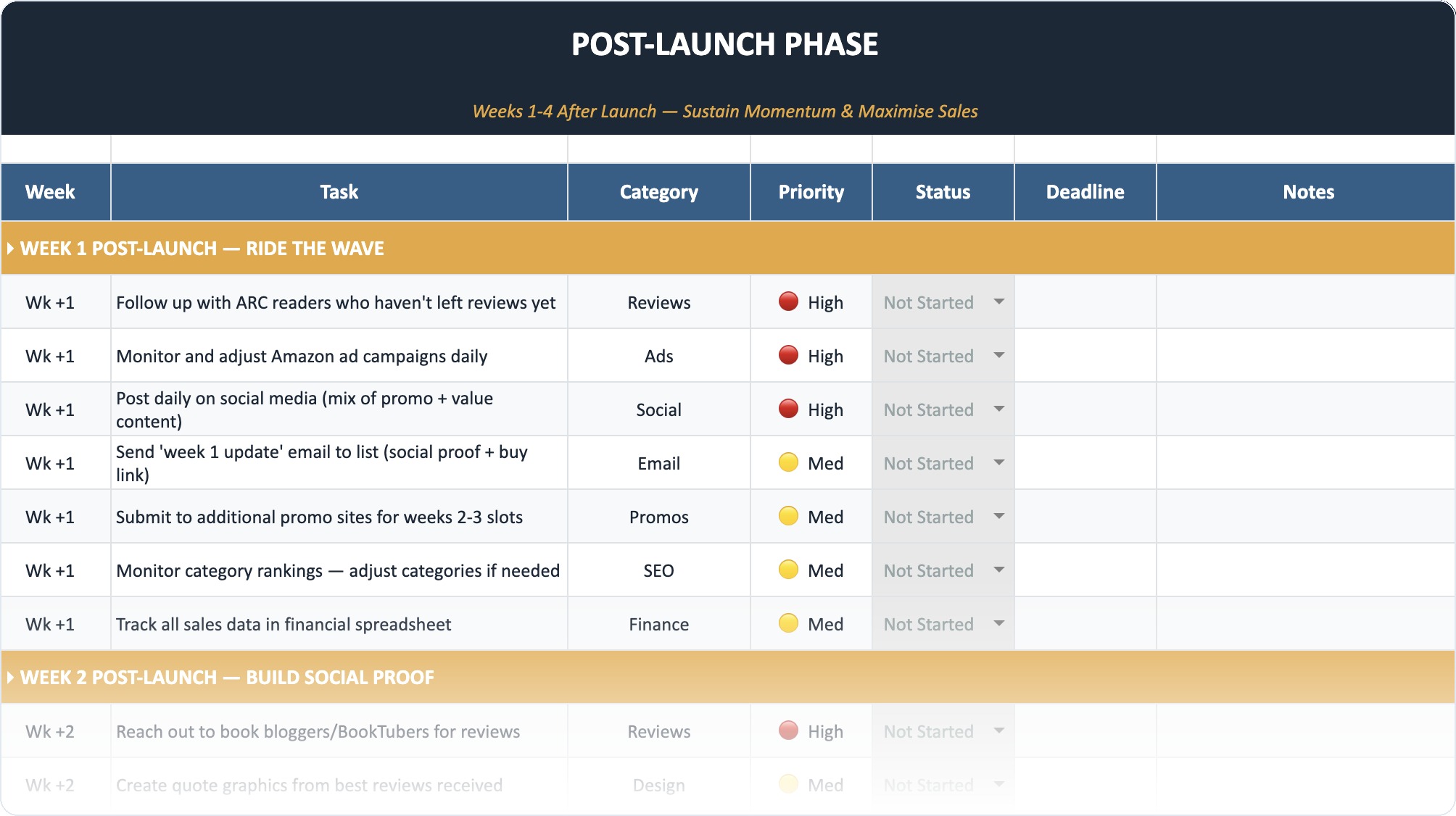
The Self-Publishing Launch Checklist (2026)
A week-by-week spreadsheet that walks you through every step of launching your book. Available as an Excel file and Google Sheet.
Summary: Is Draft2Digital Right for You?
If you value your time more than 10% of your royalties, Draft2Digital is the best aggregator on the market. It allows you to execute a "wide" strategy without hiring a full-time administrative assistant.
For the modern author, the ideal setup is usually:
- Amazon KDP: Upload directly here for maximum control over your biggest market.
- Draft2Digital: Use this for Apple, B&N, Kobo, and Libraries.
- Direct Sales: Sell ePubs directly from your website (using Payhip or Shopify) to keep 95% of the profit.
By using D2D, you ensure your books are available everywhere readers are looking, future-proofing your career against the whims of any single retailer.
Frequently Asked Questions
Does Draft2Digital distribute to Amazon?
Yes, they can distribute to Amazon. However, most experts recommend uploading to Amazon KDP directly yourself. Using D2D for Amazon prevents you from accessing Amazon Marketing Services (AMS) ads and gives you slightly less control over your listing.
Can I use Draft2Digital and KDP at the same time?
Yes. This is the standard "hybrid" strategy. You upload your book to KDP directly (for Amazon sales) and then upload the same book to Draft2Digital for all other stores. You must ensure you uncheck Amazon in your D2D distribution options so you don't create a duplicate listing.
Is Draft2Digital better than Smashwords?
Draft2Digital actually acquired Smashwords in 2022. They are now the same company. D2D has integrated the Smashwords store into their distribution network. You get the best of both: D2D's easy interface and Smashwords' independent store reach.
How do I get paid by Draft2Digital?
They offer direct deposit, PayPal, and Payoneer. Payments are made monthly, but there is usually a delay. For example, royalties earned in January are typically paid out at the end of March (approx. 60 days later) once the retailers have paid D2D.
Do I need my own ISBN for Draft2Digital?
No. D2D can provide a free ISBN for your ebook. However, this ISBN lists "Draft2Digital" as the publisher of record. If you want to maintain your own publishing brand identity, you should purchase your own ISBNs from Bowker (in the US) or Nielsen (in the UK).
What is the minimum payout threshold?
Draft2Digital has a very low threshold compared to others. The minimum for direct deposit is often as low as $10, whereas some old-school distributors required you to earn $100 before they would cut a check.