

Editing a book is often harder than writing it. You finish that final chapter, ride the dopamine high for twenty minutes, and then the realization hits: this mess needs to be cleaned up. For indie authors and writers on a budget, the cost of professional editing—often running into thousands of dollars—is a massive barrier. This brings us to the ai book editor free search that so many of us are doing right now in 2026.
Can you really edit a full novel with free AI tools? The short answer is yes, but it’s not as simple as clicking "fix my book." You need a strategy, the right prompts, and an understanding of where these tools fail.
In this guide, I’m going to walk you through exactly how I use tools like Claude 3 and ChatGPT to handle developmental editing, line editing, and proofreading without spending a dime on expensive software subscriptions.
- Claude 3 is your developmental editor: Its large context window allows it to analyze entire chapters or small manuscripts for plot holes and character inconsistencies better than other free tools.
- ChatGPT excels at line editing: Use it for sentence variety, active voice adjustments, and smoothing out clunky dialogue on a scene-by-scene basis.
- Prompt engineering is mandatory: You cannot just paste text; you must provide a "style sheet" and specific constraints to get usable feedback.
- Human oversight is non-negotiable: AI struggles with subtext and deep emotional resonance, so use it to find mechanical flaws while you handle the soul of the story.
The State of AI Editing in 2026
The landscape of writing technology has shifted dramatically over the last two years. Back in 2023 or 2024, we were impressed if a bot could fix our commas. Now, in 2026, the expectations are higher. We aren't just looking for spell-checkers; we are looking for reasoning engines that can understand narrative arcs.
The global AI writing assistant market has exploded, with some reports projecting it to grow to nearly USD 9.09 billion by 2033. This growth is driven by writers like us who need efficiency. According to recent market analysis, the demand for automated editing tools is reshaping how content is produced, with nearly 40% of writers now incorporating some form of AI into their workflow.
But "incorporating AI" doesn't mean letting the bot rewrite your voice. It means using an ai writing assistant as a junior editor—someone who points out that your protagonist's eyes changed color in Chapter 4 or that the pacing in the middle act is dragging.
Why "Free" Doesn't Mean "Low Quality" Anymore
A few years ago, free tools were garbage. Today, the free tiers of major LLMs (Large Language Models) like Claude and ChatGPT offer capabilities that used to cost hundreds of dollars in specialized software.
The trade-off is usually convenience, not intelligence. Paid tools give you seamless integration into Word or Scrivener. Free tools require copy-pasting and managing your own prompt libraries. If you are willing to put in the manual labor, the ai book editor free route is viable.
Choosing Your Tool: Claude 3 vs. The Rest
When we talk about editing a book, we usually mean three different things:
- Developmental Edit: Big picture. Plot, character, pacing.
- Line Edit: Sentence flow, word choice, voice.
- Copy Edit/Proofread: Grammar, spelling, punctuation.
Different AI models have different strengths. If you try to use a hammer to turn a screw, you'll ruin the project.
Claude 3: The Developmental Heavyweight
For a developmental edit, context is king. You need an AI that can remember what happened in Chapter 1 while it reads Chapter 10.
Claude 3 (even the lighter versions available for free or low cost) generally has a larger context window than the free tier of ChatGPT. This makes it superior for analyzing longer sections of text. It reads more like a human editor who is trying to understand the story, rather than just predicting the next word.
I use Claude to:
- Create a "story bible" to track character details.
- Analyze plot pacing across multiple chapters.
- Check for tonal consistency.
ChatGPT: The Line Editing Machine
ChatGPT (specifically the 4o or latest free iteration) is snappier and often more creative with phrasing. It is excellent for self-editing fiction at the sentence level.
I use ChatGPT to:
- Rewrite passive voice to active voice.
- Generate five variations of a clunky sentence.
- Brainstorm sensory details for a flat scene.
Comparison of Free AI Editing Tools
| Feature | Claude 3 (Free Tier) | ChatGPT (Free Tier) | Grammarly (Free) |
|---|---|---|---|
| Best Use Case | Developmental & Structural Editing | Line Editing & Brainstorming | Spell Check & Basic Grammar |
| Context Memory | High (Good for chapters) | Medium (Good for scenes) | Low (Sentence by sentence) |
| Creativity | Moderate, focused on logic | High, focused on flow | None, focused on rules |
| Style Adherence | High (Follows instructions well) | Variable (Can drift) | Rigid (Prescriptive) |
Stop Staring at a Blank Page
Publy is a distraction-free book editor with AI built in. Brainstorm plot ideas, get instant chapter reviews, or rewrite clunky paragraphs. 3 million free words included.

Step-by-Step: Developmental Editing with AI
Let's get into the practical side. How do you actually do this? You don't just paste your manuscript and say "fix it." That guarantees a generic, robotic output.
1. The Chapter Summary Analysis
Before you paste actual prose, paste your outline or chapter summaries.
The Prompt:
"I am going to provide you with the chapter summaries for my mystery novel. Please analyze the plot arc. Identify any plot holes, unresolved subplots, or pacing issues where the tension drops too low. Do not rewrite the story; just provide a bulleted list of critiques."
This high-level view helps you catch structural problems before you waste time polishing prose that you might cut later. If you are a "pantser" using the zero drafting approach, this step is vital to retroactive outlining.
2. Character Consistency Check
One of the hardest things to track in a 300-page book is whether your side character, Steve, is consistently cynical or if he suddenly became an optimist in Chapter 12.
The Strategy:
Isolate all scenes involving a specific character and feed them (or summaries of them) into Claude.
The Prompt:
"Read these three scenes involving the character 'Steve'. Analyze his dialogue and actions. Is his personality consistent? Does his motivation make sense across these scenes? Point out any contradictions."
3. Pacing and Tension Mapping
Upload a scene where you feel the energy is lagging.
The Prompt:
"Analyze the pacing of this scene. Highlight sections where the dialogue feels circular or the description slows down the action. Suggest cuts to tighten the tension."
Mastering the Line Edit
Once the story structure is solid, you move to the prose. This is where many writers get lazy and let the AI rewrite everything. Do not do this.
If you let AI rewrite your book, it will strip away your voice. It will remove your weird metaphors and your sentence fragments—the things that make your writing yours. Instead, use AI to challenge your weak spots.
Targeting "Glue Words" and Filter Words
Filter words (saw, felt, heard, noticed) create distance between the reader and the character.
Bad Prompt: "Rewrite this to be better."
Good Prompt: "Identify sentences in the following text that use filter words like 'saw' or 'felt'. Rewrite only those specific sentences to be more immediate and visceral, removing the filter."
Enhancing Sensory Details
We often rely too much on sight and sound.
The Strategy:
Take a description-heavy paragraph that feels flat. Ask the ai writing assistant to suggest smells, textures, or temperatures that would fit the setting.
"Here is a description of a sci-fi marketplace. Suggest 3 sensory details involving smell and touch that would make this setting feel grittier and more lived-in."
Expanding Vocabulary
If you find yourself using the word "looked" or "said" too often, you can use tools to improve your writing vocabulary specifically within the context of your genre.
"I use the word 'walked' four times in this paragraph. Give me a list of 10 verbs that imply walking with exhaustion, suitable for a horror novel."
The "Context Blindness" Problem
You must understand the limitations. AI tools are "context blind" to anything outside their immediate window. If you paste Chapter 15 into ChatGPT, it does not know what happened in Chapter 3 unless you tell it.
This leads to "hallucinations" or advice that makes no sense for your story. For example, the AI might tell you to make a character more assertive in a scene, not knowing that the character is currently magically silenced.
The Fix:
Always provide a "Context Block" at the top of your prompt.
Context: This is Chapter 15. The protagonist, Sarah, is currently injured and hiding from the antagonist. She cannot speak loudly.
Task: Edit the following dialogue for tension…
According to a 2026 report on AI capabilities, nearly 95% more errors are corrected by modern AI tools compared to traditional spellcheckers, but this accuracy drops significantly when deep narrative context is required. The machine is great at syntax, but terrible at subtext.
The Self-Publishing Launch Checklist (2026)
A week-by-week spreadsheet that walks you through every step of launching your book. Available as an Excel file and Google Sheet.
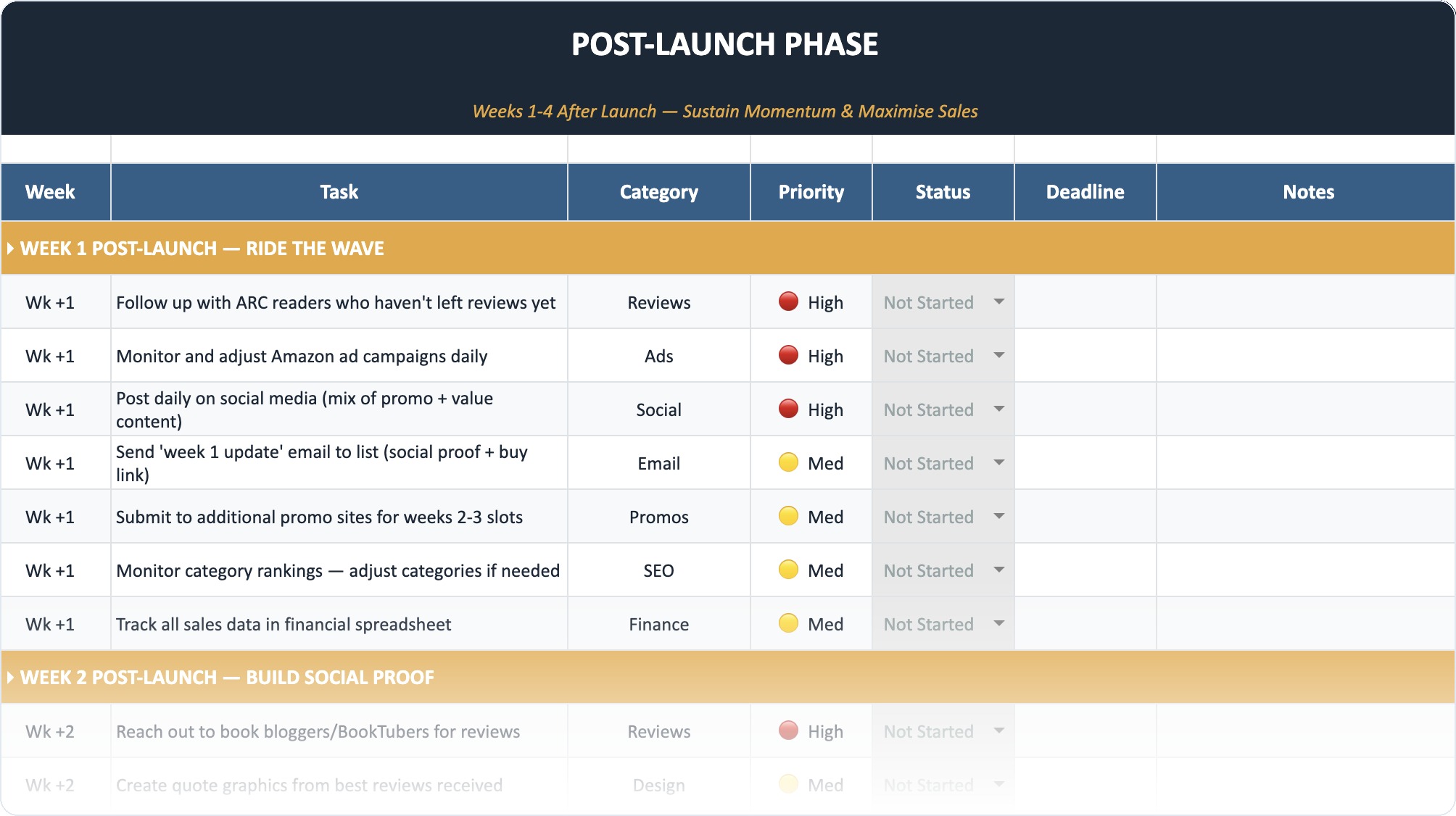
Technical Workflow for Free AI Editing
You don't want to copy-paste blindly. You need a system. Here is the workflow I recommend for authors using free tools in 2026.
Phase 1: The Clean Up
- Finish your draft.
- Run a basic spell check in your word processor.
- Use a free grammar tool (like the free version of Grammarly or ProWritingAid) to catch the obvious typos.
Phase 2: The Chapter Assessment (Claude)
- Open Claude 3.
- Paste your Chapter 1 summary and the full text of Chapter 1.
- Ask for a "Developmental Critique" focusing on the hook and character introduction.
- Manually apply the changes you agree with. Do not let the AI rewrite the text.
Phase 3: The Line Polish (ChatGPT)
- Take your manually revised chapter.
- Paste it into ChatGPT in 500-word chunks (to prevent it from cutting off or losing focus).
- Ask for specific improvements: "Check for repetitive sentence structures."
- Review suggestions and apply the good ones.
Phase 4: Final Human Pass
- Read the chapter aloud (or use a text-to-speech tool).
- Ensure the voice still sounds like you.
If you are organizing your manuscript in complex software, knowing how to use Scrivener's compilation features can help you export chapters cleanly for these AI tools.
Ethics and Copyright: Who Owns Your AI-Edited Book?
This is the elephant in the room. If you use an ai book editor free tool, do you still own your book?
The US Copyright Office has made it clear: Copyright protects human authorship.
If you use AI to brainstorm, critique, or correct grammar, you are generally safe. The human is still the "creator." However, if you prompt the AI to "write Chapter 5" and you paste it into your book with zero changes, that specific chapter may not be copyrightable.
The Golden Rule: Use AI as a critic, not a creator. If the AI suggests a sentence, rewrite it in your own words. If the AI suggests a plot twist, execute it yourself.
Also, be aware of data privacy. Free tools often use your data to train their models. If you are worried about your unpublished manuscript being fed into the machine, you might need to look for enterprise privacy settings, though those rarely come with the free versions.
According to industry discussions on copyright, purely AI-generated works remain in the public domain, which is why maintaining a "human-in-the-loop" workflow is essential for professional authors.
Advanced Prompt Engineering for Fiction
To get the most out of these tools, you need to speak their language. Here are three "Power Prompts" for the free AI book editor user.
1. The "Show, Don't Tell" Detector
"Identify instances of 'telling' in the text below. Look for abstract emotions (e.g., 'he was angry') and suggest ways to 'show' this emotion through body language, action, or dialogue. Do not rewrite the text, just provide the suggestions."
2. The Dialogue Doctor
"Analyze the following dialogue. Does it sound natural? Are the characters speaking in distinct voices? Highlight any lines that feel expository or 'on-the-nose' (where characters say exactly what they mean without subtext)."
3. The Beat Sheet Reverse-Engineer
"Read this chapter and create a beat sheet of the action. Does every scene turn? Does the character end the chapter in a different emotional state than they started? If not, identify where the scene remains static."
When to Hire a Human
I love AI tools. They have saved me hundreds of hours. But they cannot replace a human editor for the final polish of a commercially viable book.
AI cannot feel. It cannot tell you if a joke lands. It cannot tell you if a death scene made it cry. It works on patterns, not emotions.
You should consider hiring a professional editor when:
- You have taken the manuscript as far as you can with self-editing and AI.
- You are preparing for a major launch and need to ensure 100% accuracy.
- You need deep structural help that goes beyond logical consistency (e.g., "This theme of redemption feels unearned").
The Future of AI Editing (2026 Trends)
We are moving toward hyper-personalization. By late 2026, we expect to see more free tools allowing you to upload "Style Manuals" or previous books so the AI learns your specific voice.
Some data suggests that by next year, automated editorial systems will act as real-time fact-checkers for fiction, flagging not just grammar, but historical anachronisms (e.g., "They didn't have zippers in 1850").
According to publishing technology forecasts, AI-generated or assisted content is becoming the norm, with some sectors seeing up to 30% of content being heavily AI-augmented. For authors, this means the competition is getting faster and cleaner. To compete, you need to use these tools to elevate your quality, not just your speed.
Final Thoughts
Using an ai book editor free of charge is a legitimate strategy in 2026. It democratizes the publishing process, allowing writers without big budgets to produce clean, readable work.
But remember: the AI is the assistant. You are the boss. You are the creative director. Use Claude to check your plot, use ChatGPT to smooth your sentences, but keep your hands on the wheel. The goal is to publish a book that sounds like you on your best day, not a robot on an average day.
Frequently Asked Questions
Can I strictly use free AI tools to edit my entire novel?
Yes, you can use free tools like Claude 3, ChatGPT, and the free versions of Grammarly to handle developmental editing, line editing, and proofreading. However, it requires a significant time investment to copy-paste text in chunks and carefully engineer prompts to get quality feedback. It is a manual process compared to paid plugins.
Will using AI to edit my book steal my ideas?
Major AI platforms generally have terms of service that allow them to use input data to train their models, especially on free tiers. However, they do not "steal" ideas in the sense of publishing your book before you do. If privacy is a major concern, look for tools with "opt-out" data training settings, though these are often reserved for paid plans.
Which free AI is best for creative writing?
Claude 3 is widely considered the best for creative writing and developmental editing because it has a more natural, human-like prose style and a larger context window than the free version of ChatGPT. It tends to offer more nuanced feedback on plot and character rather than just focusing on sentence structure.
Does Google penalize AI-edited content?
No, Google and other search engines do not penalize content simply because it was edited by AI. They penalize low-quality, unhelpful, or spammy content. If AI helps you write a better, clearer, high-quality book or article, it will perform well. The key is "human-in-the-loop" editing to ensure value and voice.
How do I stop the AI from making my writing sound robotic?
Never use the prompt "Rewrite this." Instead, use specific constraints like "Identify passive voice and suggest active alternatives," or "Highlight repetitive words." Keep the creative control by only accepting specific changes rather than applying a blanket AI rewrite to your entire chapter.