

You just finished a book that kept you up until 3 AM. You turn the final page, breathless, emotionally invested, and ready for more.
Then, nothing. Just a blank page. Or worse, a dry copyright notice.
As a reader, you feel stranded. As an author, you just burned money.
The final pages of your book—the backmatter—are not just a place to dump your bibliography or say thanks to your mom. This is the single most valuable real estate in your entire publishing portfolio. It is the exact moment your customer is happiest, most engaged, and most willing to take action.
If you are not using book backmatter templates designed to convert readers into superfans, you are leaving thousands of sales on the table.
This guide fixes that. We will look at exactly what to put on those end pages, how to format them for 2026, and I will give you the exact copy-paste scripts that top-selling authors use to dominate the charts.
- Capture the Moment: The second a reader finishes your book is the peak of their emotional engagement. Use this instant to ask for a sale or sign-up.
- One Clear Goal: Do not clutter your backmatter with five different requests. Choose one primary Call to Action (CTA), usually a newsletter sign-up or the next book purchase.
- Digital vs. Print: Ebooks allow for dynamic, clickable links. Print requires QR codes and short, memorable URLs.
- Templates Work: Use proven scripts for review requests and reader magnets rather than reinventing the wheel.
- Update Frequently: Dynamic backmatter in ebooks allows you to change offers across your entire backlist instantly.
The "End of Book" Phenomenon: Why Backmatter Matters
Think about the last time you watched a Marvel movie. Did you leave when the credits rolled? No. You sat there for five minutes, waiting for that 30-second clip at the very end.
Why? Because you knew it connected you to the next experience.
Your book needs that same "post-credits scene" energy.
In 2026, the publishing market is more aggressive than ever. Advertising costs are up. Organic reach on social media is down. The only asset you truly own is your email list and your backlist of books.
The backmatter is the bridge between a casual reader and a lifelong fan.
When a reader finishes your story, they are in a state of high dopamine. They liked the characters. They enjoyed the ride. They are looking for a way to stay in that world. If you do not give them a door to walk through, they will close your book and pick up someone else's.
The Financial Impact of Good End Pages
Let's look at the math.
If you sell 1,000 copies of Book A, and your backmatter converts 10% of those readers to buy Book B, that is 100 immediate sales you did not have to pay advertising money for.
If you have no backmatter, or weak backmatter, that conversion rate might drop to 1% or 0%.
Over a career, this is the difference between a hobbyist and a full-time author.
Recent industry shifts highlight this opportunity. For instance, audiobook sales grew by 23.8%, creating a massive new audience that needs specific auditory calls to action. If your audiobook ends in silence, you lose them. If it ends with the narrator reading a specific URL or offer, you capture them.
We also see a resurgence in physical formats. 36% of independent authors are expected to offer hardback editions by 2025. Hardbacks are premium products. The backmatter in a hardback cannot just be a link; it needs to be a designed experience that adds value to the physical object.
Stop Staring at a Blank Page
Publy is a distraction-free book editor with AI built in. Brainstorm plot ideas, get instant chapter reviews, or rewrite clunky paragraphs. 3 million free words included.

The Anatomy of High-Converting Backmatter
Before we get to the copy-paste templates, you need to understand the hierarchy of importance.
You cannot include everything. If you ask a reader to:
- Buy the next book
- Join the newsletter
- Follow you on Instagram
- Join your Facebook group
- Check out your website
- Leave a review
They will do absolutely nothing. This is called "decision paralysis."
The Rule of One
Your backmatter needs one "Alpha" Call to Action (CTA). This is the big button. The headline. The thing you really want them to do.
For a first book in a series, the Alpha CTA is "Read Book 2."
For the last book in a series, the Alpha CTA is "Join the Newsletter" (so you can tell them when a new series starts).
Everything else is secondary and should be visually smaller.
Essential Elements vs. Fluff
Must-Haves:
- The Hook: A headline that grabs attention (e.g., "Want to see what happens to Jack next?").
- The Offer: The reader magnet or the next book link.
- The Review Request: A polite, non-pushy ask for a star rating.
- Bio: Short, punchy, and relevant to the genre.
Nice-to-Haves (Keep these small):
- Acknowledgments (Put these at the back, not the front. Don't make readers scroll past them to get to the story).
- Also By sections (A simple list of your other works).
- Social Media links (Only pick the platform you are actually active on).
Book Backmatter Templates
Here are the templates. You can adapt these to your voice, but the structure is proven to convert.
Template 1: The "Series Flow" (Use in Book 1, 2, 3…)
This template is designed for one thing: Sell-through. You want the reader to buy the next book immediately.
Headline: The Story Continues…
Body Copy:
I hope you enjoyed [Book Title]. The journey isn't over for [Character Name].
If you are dying to know if they survive the [Major Plot Hint], you don't have to wait. The next installment, [Next Book Title], is available right now.
[IMAGE OF NEXT BOOK COVER]
Big Button/Link: [Tap Here to Grab Book 2 Instantly]
Secondary Ask (The Review):
Before you go, could I ask a small favor?
Reviews are the lifeblood of independent authors. If you enjoyed this book, would you mind leaving a quick star rating? It takes less than 60 seconds and helps other readers find this story.
Link: [Leave a Review]
Template 2: The "Reader Magnet" (Use in Standalones or Last Book of Series)
This template focuses on list building. You are trading a free piece of content (a "reader magnet") for their email address. This is critical for long-term growth.
Headline: Want a Free [Genre] Story?
Body Copy:
Sad that [Book Title] is over? I have a gift for you.
I wrote an exclusive prequel novella called [Bonus Book Title] that reveals exactly how [Character] got their scar. You cannot buy this book in stores—it is available exclusively to my VIP subscribers.
[IMAGE OF BONUS BOOK COVER]
Join the VIP list today and I'll send the ebook directly to your inbox for free.
Big Button/Link: [Tap Here to Get Your Free Book]
Secondary Ask:
(Keep the review request here as well. Always ask for the review.)
Template 3: The "Sneak Peek" Strategy
Sometimes the best way to sell the next book is to let the reader start it immediately. This works incredibly well for thrillers and romance.
Headline: Read Chapter One of [Next Book Title]
Body Copy:
Ready for more? Here is an exclusive look at the first chapter of the sequel.
[INSERT CHAPTER 1 TEXT HERE – KEEP IT TO 1500 WORDS MAX]
End of Excerpt:
…Need to know what happens next?
Big Button/Link: [Get the Full Book on Amazon]
Template 4: The "Non-Fiction Authority"
Non-fiction is different. You aren't usually selling a sequel; you are selling a course, coaching, or your authority.
Headline: Ready to Apply What You Learned?
Body Copy:
Reading is great, but action gets results.
I have created a free [Workbook/Checklist/Video Series] to help you implement the strategies in this book. Don't let this knowledge fade away. Download the resources and start building your [Topic] today.
Big Button/Link: [Download the Free Action Pack]
Review Request:
If this book helped you solve [Problem], please consider leaving a review. Your feedback helps me reach more people who need this solution.
Link: [Leave a Review]
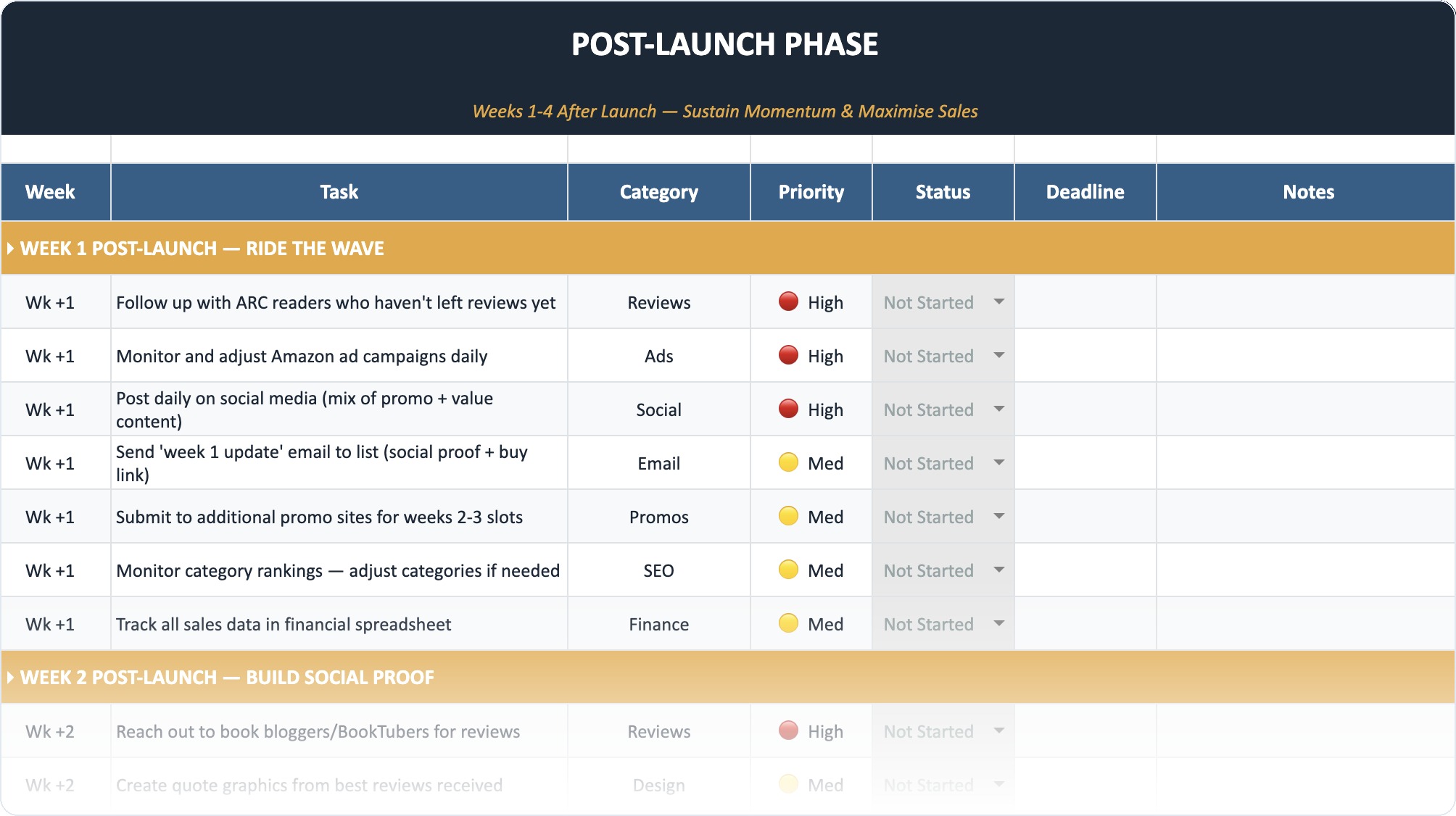
The Self-Publishing Launch Checklist (2026)
A week-by-week spreadsheet that walks you through every step of launching your book. Available as an Excel file and Google Sheet.
Digital vs. Physical: Formatting for the Medium
You cannot use the exact same file for your ebook and your paperback. In 2026, readers expect a seamless experience on their Kindles, but they also want a clean reading experience in paperback.
The Ebook Advantage
Ebooks allow for what we call Dynamic Digital Backmatter.
Because an ebook is a live file, you can update it. If you launch Book 1 in January, the backmatter points to a "Coming Soon" page. When Book 2 comes out in March, you update Book 1's backmatter to point directly to the store link for Book 2.
This capability is massive. It means your backlist is always working for your current launch.
Tip: Use a service like Draft2Digital or Vellum to manage these files easily. You want to be able to re-export your books quickly when links change. If you are struggling with the tech side of layouts, check out our guide on what is the best software for book layout formatting.
The Physical Challenge
You cannot click a paperback.
For print books, you must use:
- Short Links: Do not put
yoursite.com/books/series/book2/ref=123. No one will type that. Useyoursite.com/book2. - QR Codes: In 2026, everyone knows how to scan a QR code. Place a nice, styled QR code on the page with the caption "Scan to get Book 2."
- Visuals: You have to sell the image of the next book. Use a high-quality grayscale image of the next cover.
Warning: Do not put "Click Here" in a paperback. It looks amateur. Change the text to "Visit [URL] to grab your copy."
Advanced Tactics: Sell More Books on Autopilot
Once you have the templates set up, it is time to optimize.
The "Also By" List Optimization
Most authors just list their books chronologically. This is boring.
Organize your "Also By" list by Reader Experience.
- "If you loved this, try the [Series Name]"
- "Want something darker? Try [Book Title]"
Guide the reader. Do not just present a menu; act like a waiter recommending the best wine.
Universal Book Links (UBLs)
Never link directly to Amazon US if you can help it.
What about your readers in the UK, Canada, or Australia? If they click a US link, they might get an error or be sent to a store where they cannot buy the book.
Use a Universal Book Link (from services like Books2Read). This one intelligent link detects the reader's location and sends them to the correct store (Amazon UK, Kobo Canada, Apple Books France, etc.).
Tracking Your Clicks
You need to know if your backmatter is working.
If you just put a link to your website home page, you have no idea if the traffic came from Book A, Book B, or your Twitter bio.
Create specific landing pages or use tracking parameters (UTM codes) for your links.
- Link in Book 1:
yoursite.com/signup?source=book1 - Link in Book 2:
yoursite.com/signup?source=book2
This tells you exactly which book is generating the most subscribers.
Asking for Reviews: The Right Way
Review anxiety is real. Authors hate asking. Readers often forget.
According to a study on author marketing tactics, leveraging backmatter is a prime opportunity to secure engagement, yet many authors fail to ask clearly.
Do not bribe them. It is against Amazon's terms of service to say "Leave a review and I'll give you a free book."
Do appeal to their emotion.
"I am an independent author. I don't have a marketing budget like the big publishers. Your review helps me keep writing."
This works because it is true. Readers generally want to support the artists they enjoy. For more strategies on this, read our deep dive on how to get book reviews for your self-published title.
Building a Series Strategy
If you are writing a series, your backmatter needs to evolve.
- Book 1: Push hard for Book 2.
- Book 2: Push hard for Book 3.
- Book 3: Push hard for Book 4.
- Final Book: Push for the Newsletter.
Why? because once they read the whole series, you have maximized the direct revenue from that IP. Now you need to move them to your next series. The newsletter is the bridge between series.
If you are struggling to map this out, you might want to look at how to write and publish a series effectively. The planning starts before you write the first word.
Data Comparison: Ebook vs. Print Backmatter
Here is a quick breakdown of what you can and cannot do in each format.
| Feature | Ebook Backmatter | Print Backmatter |
|---|---|---|
| Links | Direct Clickable | URL text / QR Codes |
| Updates | Instant (Dynamic) | Requires Re-printing |
| Length | Flexible (Hidden in menus) | Adds to print cost |
| Images | Color (on tablets) | Grayscale (usually) |
| Primary Goal | Instant Click / Impulse Buy | Brand Awareness / List Join |
Common Mistakes to Avoid
Even with templates, authors mess this up.
1. The "Wall of Text"
Do not write a three-page letter about your cat. Keep your author note brief. Get to the point. Readers have short attention spans.
2. Broken Links
This is the cardinal sin. If a reader clicks a link and gets a 404 error, you have lost them forever. Check your links every time you update a file.
3. Ignoring the "Look Inside"
Sometimes, Amazon's "Look Inside" feature previews too much of the book. If your backmatter is massive, it might mess up the percentage calculations. Keep the front matter tight so the sample is mostly story, but keep backmatter robust.
4. Not Hosting Your Own Landing Page
Don't link straight to a Mailchimp form. Link to a page on your website (e.g., yoursite.com/free). This allows you to install a Facebook Pixel or Google Analytics tag to retarget those visitors later.
5. Forgetting the Launch Party
If you are launching a book, put a link to your launch event in the backmatter of your previous books a week before release. It drives traffic to your live events. Need ideas? Check out our guide on hosting a book launch party.
Tech Tools for Backmatter
You don't need to be a coder to make this look good.
- Atticus / Vellum: These are the gold standards for formatting. They have built-in "Store Links" features that make creating backmatter pages incredibly fast.
- BookFunnel / StoryOrigin: These are essential for delivering those "Reader Magnets." You upload your free book to them, and they handle the tech support when a reader tries to download it to their Kindle.
- Bit.ly / PrettyLinks: Use these to create clean, trackable links for your print books.
Final Thoughts: It's Not "The End"
The words "The End" are a lie. In the business of writing, the last page of one book is the first step toward the next.
Your backmatter is a system. It is a machine that runs 24/7, turning casual readers into superfans and one-time buyers into loyal customers.
Don't just slap a "Thanks for reading" note at the end. Use the templates above. Build a funnel. Respect the reader's attention and give them somewhere to go.
The market in 2026 rewards authors who treat their publishing career like a business. Your backmatter is your storefront. Make sure it is open for business.
According to recent data, Dynamic Digital Backmatter is becoming the standard, allowing authors to update links across thousands of devices instantly. If you aren't doing this, you are fighting with one hand tied behind your back.
Take an hour today. Review your back files. Update your links. Polish your ask. Your bank account will thank you.
Frequently Asked Questions
What is the most important thing to include in book backmatter?
The most critical element is a single, clear Call to Action (CTA). For most authors, this is either a link to buy the next book in the series or a link to sign up for a newsletter to get a free reader magnet. Focus on one primary goal to avoid confusing the reader.
Can I include images in my backmatter?
Yes, and you should. Including the book cover of the sequel or a visual representation of your reader magnet significantly increases conversion rates. However, ensure the images are optimized for black and white screens, as many readers use e-ink devices like the Kindle Paperwhite.
How do I track sales from my backmatter?
Use tracking links. Instead of a generic Amazon link, use a service like Bit.ly or Genius Link, or create a specific landing page on your website (e.g., yourname.com/book1-end). This allows you to see exactly how many people are clicking through from the back of your book.
Should I ask for a review in the front or back of the book?
Always ask in the back. A reader cannot review a book they haven't read yet. Asking in the front is intrusive and annoying. Asking in the back, immediately after they have enjoyed the story, leverages their positive emotional state.
Does backmatter count towards the book's total page count?
Yes, for print-on-demand services like KDP, backmatter counts toward the total page count which affects printing costs. For ebooks, it adds to the file size but does not significantly impact delivery costs unless you include many high-resolution images.