

- Publy wins for all-in-one manuscript editing with 7-category scoring, AI chat, and a real free tier
- ProWritingAid is the best pure line editor with deep style reports
- Sudowrite is fiction-only and strong for co-writing but won’t give you a structural critique
- AutoCrit scores your manuscript against published fiction benchmarks but the interface feels dated
- Hemingway is free and useful for readability but doesn’t qualify as a book editor
Why Another Comparison Article?
Because most of them are garbage.
I’ve read twenty “best AI book editor” roundups. Half of them are written by people who clearly haven’t used the tools. They copy feature lists from pricing pages and call it a review. The other half are affiliate posts disguised as recommendations. “We love all of these tools!” No you don’t. Some of them are bad.
So I did the obvious thing. I took 5,000 words from a completed manuscript and pasted them into each tool. Same text. Same problems. Same messy dialogue. Same chapter where the pacing falls apart.
Here’s what happened.
The Testing Method
I used the opening 5,000 words from a completed literary fiction manuscript with known problems:
- A slow opening that needed tightening
- One scene with too much telling and not enough showing
- A dialogue exchange where both characters sound identical
- Passive voice scattered through the narration
- A structural problem where the inciting incident comes too late
I didn’t tell any tool what was wrong. I let each one find the problems on its own.
1. Publy: Best All-in-One Editor
Price: Free (10,000 AI words/month) | $19/mo | $10/mo annual
Best for: Self-publishing authors who want editing and writing in one place
Publy found four out of five known problems on the first pass. It missed the structural issue about the late inciting incident, though when I asked about it in AI Chat, the response was spot-on.
The 7-category review scored the sample passage:
- Readability: 7/10
- Grammar: 8/10
- Style & Voice: 6/10
- Pacing: 5/10
- Show vs. Tell: 5/10
- Dialogue: 4/10
- Structure: 6/10
The low dialogue score was correct. Both characters sounded the same and the AI flagged it with pulled examples. The pacing score accurately reflected the slow opening.
What separates Publy from other tools: you don’t have to leave the platform. Write, edit, chat with AI, get scored reviews, export PDFs. Everything lives in one workspace. No copy-pasting between apps.
The Smart Rewrite feature let me highlight the passive-voice passages and rewrite them in active voice without losing my narrative style. Other tools rewrite your text into something grammatically perfect but personality-free. Publy kept the voice.
Verdict: Strongest all-around option on this list. The review scoring gives you something concrete to work from instead of vague suggestions. And 10,000 free words per month means you can test it without a credit card.
- 7-category scored review with examples
- AI chat for follow-up questions
- Write and edit in one place
- Free tier actually useful
- Gemini 3 Pro and Flash AI
- Newer platform, smaller community
- 10k free tier constrains full-novel use
2. ProWritingAid: Best Line Editor
Price: $30/mo | $120/year | $399 lifetime
Best for: Writers who want deep style analysis and readability reports
ProWritingAid caught the passive voice, the dialogue issues, and the overwriting. It generated detailed reports: style, overused words, sentence length variation, readability scores. The reports are genuinely useful.
Where it fell short: structural feedback. ProWritingAid works at the paragraph and sentence level. It doesn’t see the shape of your story. It couldn’t tell me the inciting incident was late because it doesn’t think in terms of story structure. It thinks in terms of style patterns.
The integrations are a strong point. Works inside Word, Scrivener, and Google Docs. If you’re already embedded in one of those writing environments, you don’t have to switch.
Verdict: The best tool for line editing and style cleanup. The reports are detailed and actionable. But it’s a writing tool, not a book editing tool. It doesn’t understand story. If you need structural and developmental feedback, you need something else alongside it.
For a deep dive into how these three compare specifically on fiction manuscripts, read my detailed breakdown: AI Book Editor vs ProWritingAid vs AutoCrit.
- Deep style reports
- Sentence variety analysis
- Integrations with Word/Scrivener/GDocs
- Lifetime purchase option
- No structural feedback
- No AI chat
- No manuscript-level analysis
- Free tier too capped for books
Stop Staring at a Blank Page
Publy is a distraction-free book editor with AI built in. Brainstorm plot ideas, get instant chapter reviews, or rewrite clunky paragraphs. 3 million free words included.

3. Sudowrite: Best for Fiction Co-Writing
Price: $19/mo (Hobby) | $29/mo (Pro)
Best for: Fiction authors who want AI help with drafting, not just editing
Sudowrite is different from the other tools on this list because it’s designed to write with you, not just edit what you’ve written. The “Story Engine” can generate plot outlines, scenes, and character descriptions based on your existing text.
For my test, the “Describe” feature expanded a flat scene with sensory details. The “Brainstorm” feature generated three alternative directions for a stuck subplot. Both were useful.
What Sudowrite doesn’t do: give you a scored review of your manuscript. No category ratings. No structural critique. No pacing analysis across chapters. It’s a creative partner, not a critical reader.
Verdict: Strong pick for fiction authors who want help generating and expanding their drafts. Weak pick for authors who need honest editorial feedback on a finished manuscript.
- Excellent fiction co-writing features
- Sensory detail expansion
- Plot brainstorming
- Story Engine for outlines
- No scored manuscript review
- No structural critique
- Fiction only
- No free tier beyond trial
4. AutoCrit: Best for Genre Fiction Benchmarking
Price: $30/mo (Pro) | $80/mo (Elite)
Best for: Genre fiction authors who want to compare their writing to published standards
AutoCrit’s unique angle is benchmarking. It compares your manuscript against published fiction in your genre. How does your sentence length compare to bestselling thrillers? How’s your pacing next to published romance novels? That’s useful data you can’t get anywhere else.
It caught the dialogue issues and the passive voice. The genre comparison was interesting: my sample scored below average for literary fiction on “momentum” (accurate, given the slow opening) but above average on “word choice.”
Verdict: The benchmarking against published fiction is genuinely unique. But the interface feels like it hasn’t been updated since 2019. The AI features are behind the competition. And $30/month for the base tier is steep when Publy and Sudowrite offer more AI power for less.
- Genre benchmarking against published fiction
- Catches common patterns
- Detailed metrics
- Dated interface
- Expensive ($30-80/mo)
- AI features lag behind competitors
- No free tier
- Feels stale
5. Hemingway Editor: Best Free Readability Check
Price: Free (browser) | $19.99 one-time (desktop)
Best for: Final readability polish on any manuscript
Hemingway caught the passive voice and the long sentences. That’s what it does. It highlighted them in colors. Done.
No dialogue feedback. No pacing analysis. No structural comments. No AI interaction. It tells you your readability grade and highlights complex sentences. It’s a single-purpose tool and it does that one thing well.
Verdict: Use it as the last step in your editing process. After your AI editor and human editor have done their work, run the final manuscript through Hemingway to catch any remaining readability issues. It’s not a book editor. It’s a readability checker.
- Free in the browser
- Instant results
- No account needed
- Simple and fast
- Not a book editor
- No AI features
- No structural feedback
- No dialogue or pacing analysis
Head-to-Head Comparison
| Feature | Publy | ProWritingAid | Sudowrite | AutoCrit | Hemingway |
|---|---|---|---|---|---|
| Manuscript-level analysis | ✅ | ❌ | ❌ | Partial | ❌ |
| Scored review (categories) | 7 categories | Reports only | ❌ | Genre benchmarks | Grade level only |
| AI chat | ✅ | ❌ | Limited | ❌ | ❌ |
| Co-writing features | Smart Rewrite | ❌ | ✅ Story Engine | ❌ | ❌ |
| Free tier | 10k words/mo | 500 words/check | Trial only | ❌ | Unlimited (browser) |
| Price (monthly) | $19 | $30 | $19-29 | $30-80 | Free |
| Price (cheapest annual) | $10/mo | $10/mo | ~$16/mo | $22/mo | $19.99 once |
| Built-in editor | ✅ WYSIWYG | ❌ (uses integrations) | ✅ | ❌ | ✅ (basic) |
| PDF export | ✅ | ❌ | ❌ | ❌ | ❌ |
| Best for | All-in-one editing | Line editing & style | Fiction drafting | Genre benchmarking | Readability |
## The Real Cost Over a Year
Monthly prices don’t tell the full story. Most self-publishers keep their editing tool for 3-6 months per book, then cancel until the next project. Here’s what each tool actually costs for one book edit:
Publy: 2-3 months at $19/month = $38-57. Or $10/month annual = $120/year. The annual plan makes sense if you publish more than one book per year.
ProWritingAid: The lifetime deal at $399 is the best value if you write consistently. The monthly plan at $30/month for 3 months = $90 per book. Annual at $10/month = $120/year. Same calculation: if you write regularly, go annual or lifetime.
Sudowrite: 2-3 months at $19-29/month = $38-87 depending on your plan. There’s no lifetime option. The costs add up if you use it as a permanent writing companion.
AutoCrit: This one hurts. The full plan at $80/month for 3 months = $240 per book. Annual at $22/month = $264/year. AutoCrit’s genre benchmarking is unique, but the price puts it in a different category than the others.
Hemingway: $19.99 one-time purchase for the desktop app. Free forever in the browser. This is the lowest-cost option with no recurring charge.
If you’re choosing one tool and budget matters, Publy or ProWritingAid at $10/month annual give you the most editing power per dollar. If you write sporadically, monthly plans with cancel-between-books saves money.
What the Comparison Table Doesn’t Show
Tables compare features. They don’t compare workflows. The gap between these tools shows up when you use them on a real manuscript for a full editing cycle.
Publy’s advantage is containment. Everything happens in one browser tab. You paste your manuscript, run AI Review, read scored feedback, use AI Chat to investigate problem areas, rewrite passages with Smart Rewrite, and export to PDF. You never leave the app.
ProWritingAid’s advantage is depth of analysis. The 20+ writing reports give you granular data on sentence length distribution, readability grade, vague word usage, and more. No other tool matches this level of detail for line-level editing.
Sudowrite’s advantage is generation. When you’re stuck, it writes forward. When you need a scene described differently, it offers alternatives. It’s less an editor and more a co-author.
AutoCrit’s advantage is benchmarking. Knowing your manuscript scores a 7.2 against published thrillers gives you a concrete target. No other tool compares your writing against published work in your specific genre.
Which One Should You Pick?
Pick Publy if: You want one tool that handles everything. Writing, editing, AI feedback, scored reviews, and export. Start with the free tier and upgrade when you need more words.
Pick ProWritingAid if: You’re a grammar and style perfectionist who writes in Word or Scrivener and doesn’t want to switch environments. Get the lifetime deal if you commit.
Pick Sudowrite if: You’re a fiction writer who struggles with writer’s block more than editing. You want a creative partner, not a critic.
Pick AutoCrit if: You write genre fiction and want to know exactly how your writing stacks up against published bestsellers in your category.
Pick Hemingway if: You need a quick readability check and you’re on a budget of $0. Use it alongside one of the others.
For a deeper look at how AI book editors work, read my pillar guide on AI book editing. If price is the main concern, check my best free AI book editors breakdown.
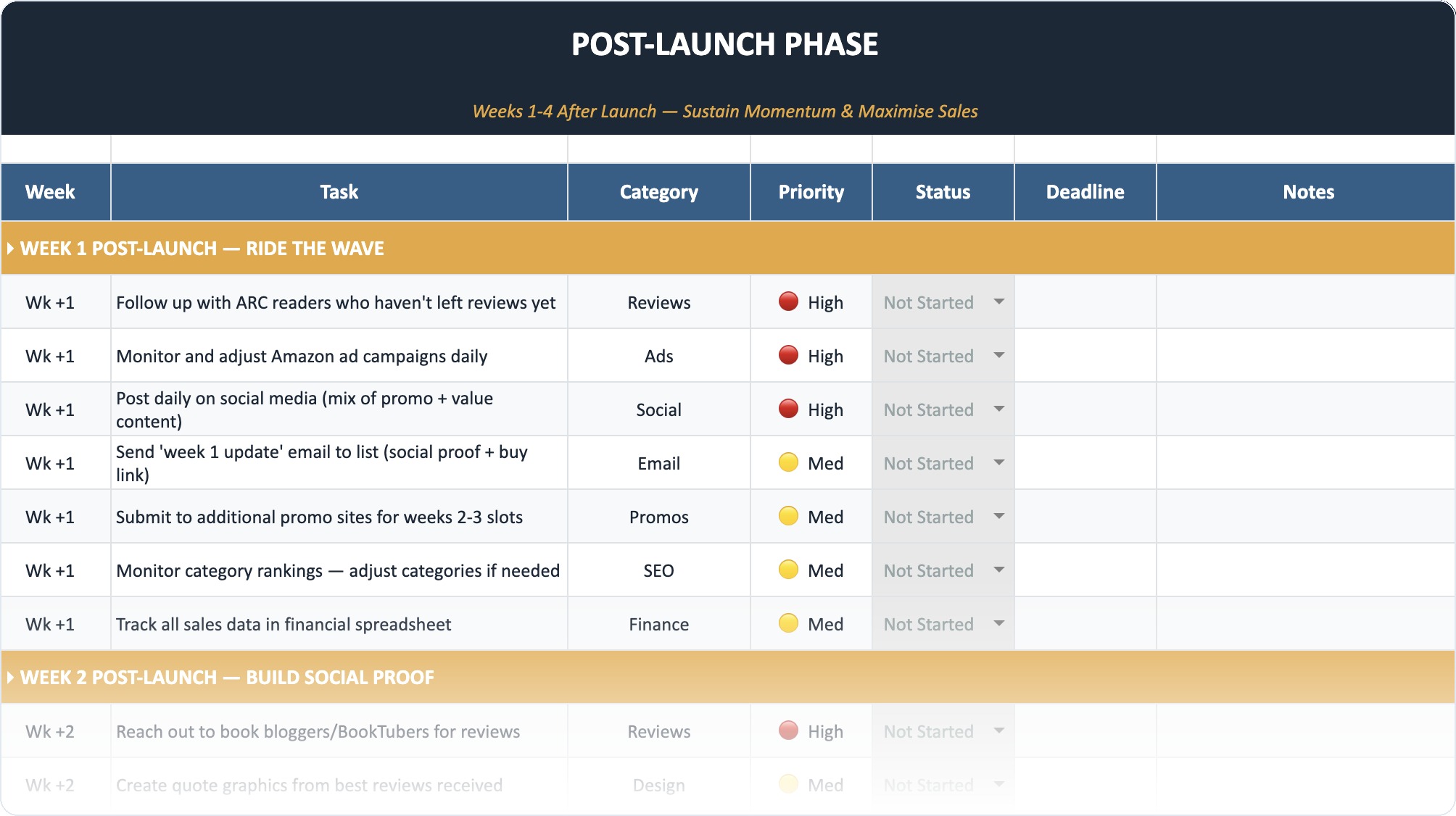
The Self-Publishing Launch Checklist (2026)
A week-by-week spreadsheet that walks you through every step of launching your book. Available as an Excel file and Google Sheet.
Frequently Asked Questions
Which AI book editor is best for self-publishing authors?
Publy was built specifically for self-publishers. It combines a full editor, AI feedback, scored reviews, and PDF export in one tool. You don’t need to copy-paste between apps. Most other tools are either editing plugins (ProWritingAid) or co-writing tools (Sudowrite) that only cover part of the workflow.
Can I use multiple AI book editors together?
Yes, and many authors do. A common stack is Publy for structural feedback and AI chat, plus ProWritingAid for line editing, plus Hemingway for a final readability pass. That covers all three levels of editing.
Is ProWritingAid better than Publy?
For pure line editing and style reports, ProWritingAid is deeper. For manuscript-level feedback, AI interaction, scored reviews, and an all-in-one workflow, Publy is stronger. They fill different niches and work well together.
How much should I budget for AI book editing?
Between $10-30 per month. Publy starts at $10/mo on the annual plan. ProWritingAid’s cheapest option is $10/mo annually. You can also start with free tiers. Either way, it’s a fraction of the $2,000-5,000 a human developmental editor charges.