

Amazon currently lists over 44 million book titles globally. Most of them sit in a digital graveyard with zero sales. The difference between a book that ranks #1 and one that disappears often comes down to one decision: shelf placement. Put a cozy mystery in "General Fiction," and you are invisible. Put it in "Cozy Animal Mystery," and you might become a bestseller.
This guide covers everything you need to know about Amazon book categories and how to use them to skyrocket your sales in 2026.
- Amazon book categories are virtual shelves where customers browse for your book; choosing the right ones is vital for visibility.
- You can select three categories directly in the KDP dashboard, but keywords can help trigger placement in others.
- Aim for "niche" categories with lower competition to hit the #1 Bestseller status more easily.
- Always prioritize relevance over traffic to keep the Amazon A10 algorithm happy and avoid rank penalties.
Why Amazon Book Categories Make or Break Your Sales
Think of Amazon as the world's largest bookstore. But unlike a physical shop where you can ask a clerk for help, Amazon relies on algorithms. Amazon book categories are the primary map the algorithm uses to understand your book's content.
If you get this wrong, the algorithm gets confused. It shows your book to the wrong people. They don't buy it. Your conversion rate drops. Amazon stops showing your book entirely. It is a vicious cycle.
Get it right, and you put your book directly in front of readers already looking for it. You increase your conversion rate. Amazon rewards you with better organic ranking. You start selling books while you sleep.
The Visibility Factor
Most readers do not search for specific titles. They search for genres or solutions. They type in "vegan cookbook for beginners" or "space opera with strong female lead."
If your book is categorized correctly, it appears in these browse paths. Being in a specific category also allows you to rank on that list. Ranking #1 in a small, specific category puts a "Bestseller" badge on your book. This badge is social proof. It tells potential readers that others are buying this book. That trust factor increases sales across the board.
The best place to hide a dead body is page two of Google. The second best place is page two of Amazon search results.
The 3-Category Rule: What Changed?
In the past, authors could email Amazon support to request addition to ten different categories. Those days are over.
As of mid-2023 and continuing into 2026, Amazon restricts authors to selecting three categories directly in the Kindle Direct Publishing (KDP) dashboard. You can no longer email KDP support to add more.
This scarcity raises the stakes. You cannot "spray and pray" anymore. You must be surgical. You need to pick the three homes for your book that offer the best balance of relevance and competitiveness.
The "Ghost" Category Phenomenon
Even though you are limited to three picks, you might see some books appearing in more. This happens because of keywords.
Amazon's A10 algorithm creates "ghost" category placements based on your 7 backend keywords. If you use keywords like "time travel" and "romance," Amazon might automatically place your book in the "Time Travel Romance" category, even if you did not select it manually. Your keyword strategy and your category strategy are now effectively the same thing.
Understanding Amazon Best Seller Rank (ABSR)
To win the category game, you must understand the scoreboard: the Amazon Best Seller Rank (ABSR).
Every book on Amazon has a rank. The book selling the most copies in the entire store is #1. A book that has not sold a copy in five years might be #12,000,000.
Categories allow you to compete in a smaller pool. You might be ranked #50,000 in the whole store, which sounds bad. But that same sales volume might make you #1 in "Hydroponic Gardening for Teens."
The Math Behind the Badge
To hit #1 in a major category like "Thriller," you might need to sell 3,000 books a day. That is impossible for most indie authors without a massive advertising budget.
To hit #1 in a niche category, you might only need to sell 5 books a day.
The goal is to find categories where the #1 book has a ranking you can beat. If the #1 book in a category has an overall ABSR of 100,000, they are selling roughly one or two copies a day. You can beat that. You can take that spot.
See our guide on understanding Amazon sales rank for a deeper breakdown of these numbers.
BISAC Codes vs. Amazon Browse Paths
One of the most confusing parts of setting up a book is the difference between BISAC codes and Amazon categories. They look similar, but they do different jobs.
BISAC (Book Industry Standards and Communications) codes are the industry standard. Libraries, physical bookstores, and wholesalers use them to organize shelves. When you set up your book on IngramSpark or KDP, you select BISAC codes to tell the global book supply chain what your book is.
Amazon Browse Paths are consumer-facing categories. They are what the customer sees on the website (e.g., Books > Cookbooks > Special Diet > Keto).
The Translation Problem
Amazon does not use BISAC codes directly for its storefront. Instead, it maps BISAC codes to its own internal browse paths.
Sometimes this mapping is messy. You might choose the BISAC code for "History / Military / World War II." Amazon might map that to "Historical Fiction" if your keywords are unclear. This is why you must verify where your book actually ends up after you publish.
| Feature | BISAC Codes | Amazon Categories |
|---|---|---|
| Audience | Booksellers, Libraries, Distributors | Readers, Shoppers |
| Flexibility | Rigid, Standardized | Fluid, changes with trends |
| Selection Limit | Usually 1-3 | 3 (Hard limit in KDP) |
| Purpose | Inventory management | Discovery and Sales |
Stop Staring at a Blank Page
Publy is a distraction-free book editor with AI built in. Brainstorm plot ideas, get instant chapter reviews, or rewrite clunky paragraphs. 3 million free words included.

How to Research the Right Categories
Do not guess. Guessing is how you end up in "General Non-Fiction" competing against Michelle Obama and Prince Harry. You need research.
Step 1: Analyze Your Competitors
Go to Amazon. Find books similar to yours. Look at their product page. Scroll down to the "Product Details" section.
You will see a list that looks like this:
- #14 in Genetic Engineering Science Fiction
- #45 in Cyberpunk
- #1,200 in Kindle Store
Write down the categories of the top 10 bestselling books similar to yours. These are your targets.
Step 2: Check the Competition Levels
Click the category links from your competitors' pages. Look at the #1 book and the #100 book in that category.
Check their Best Seller Ranks.
- Too Hard: If the #1 book is ranked #50 overall, you probably cannot compete there yet.
- Too Easy: If the #1 book is ranked #900,000, there is no traffic here. Winning it won't bring organic readers.
- Just Right: You want a category where the top books sell well (Rank #1,000 to #30,000), but the #20 or #50 spots are weaker (Rank #50,000+). This gives you room to enter the list and climb up.
Use the "Incognito" mode in your browser when researching. Amazon personalizes search results based on your history. Incognito mode gives you a more neutral view of what actual customers see.
Step 3: Use Software Tools
Manual research takes hours. Software makes it faster. Tools like Publisher Rocket or KDSPY can scan Amazon and tell you exactly how many books you need to sell to hit #1 in a specific category.
These tools pull data on niche categories hard to find by just clicking around. They often reveal "hidden" paths that have high traffic but low competition.
Niche Categories: The Goldmine for Indie Authors
The money is in the niches. General categories are flooded. Niche categories are communities.
If you write about gardening, "Gardening" is a bad category. "Urban Container Gardening" is a better one. "Orchid Care for Beginners" is fantastic.
Why Niche Wins
- Higher Conversion: People browsing niche categories know exactly what they want. If your cover matches their expectation, they click.
- Sticky Rankings: In a huge category, you can fall off page one in an hour. In a niche category, you can stay at #1 for weeks with moderate sales.
- The Bestseller Badge: As mentioned, getting the orange "Best Seller" flag is easier here. That flag follows your book everywhere, even in search results for other terms.
For more on digging up these gems, read our guide on finding secret KDP categories.
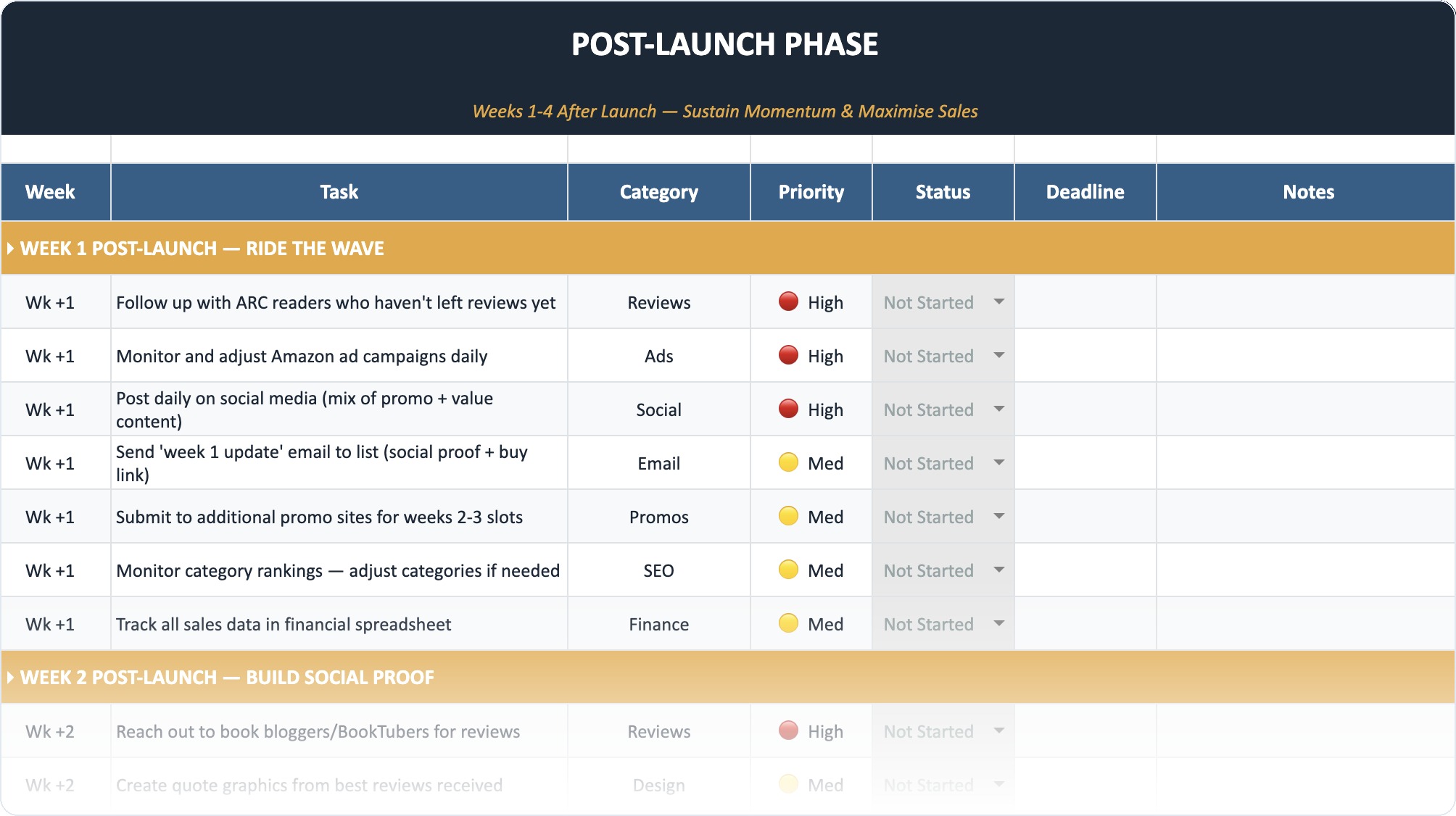
The Self-Publishing Launch Checklist (2026)
A week-by-week spreadsheet that walks you through every step of launching your book. Available as an Excel file and Google Sheet.
Fiction vs. Non-Fiction Strategies
The strategy changes depending on what you write.
Fiction Strategy
Fiction relies on sub-genres and tropes. Readers look for a "feeling."
- Focus on Tropes: Use categories that define the trope. "Clean Romance," "Dark Fantasy," "Hard Science Fiction."
- Regional Categories: Categories like "Asian American Literature" or "British Detectives" can be less competitive and highly targeted.
- Format Categories: Do not ignore "Short Stories" or "Anthologies" if your book fits.
According to recent market data, fiction titles led with a 44.02% share of the e-book market, meaning competition is fiercest here. You must drill down.
Non-Fiction Strategy
Non-fiction is about solutions and demographics.
- Problem/Solution: "Weight Loss," "Personal Finance," "Divorce."
- Demographic: "Business for Women," "Coding for Kids."
- Profession: "Real Estate Sales," "Nursing Guides."
Non-fiction authors often have better luck ranking because the categories are more descriptive. If you write a book on Python programming, you do not compete with romance novels. You only compete with other Python books.
Step-by-Step Guide to Adding Categories in KDP
Since the 2023 update, the process is streamlined but rigid.
- Log in to KDP.
- Go to your Bookshelf.
- Click the ellipsis (…) button next to your book and select Edit eBook Details (or Print Details).
- Scroll down to the Categories section.
- Click Edit Categories.
- A menu will pop up. You can search by keyword or click through the menus.
- Select exactly three categories.
- Hit Save.
- Scroll to the bottom of the page and hit Publish to push the changes live.
It can take up to 72 hours for the categories to update on the live Amazon store.
The Role of Keywords in Categorization
This is the secret sauce for 2026. Since you are limited to three manual categories, you must use your 7 backend keywords to access others.
If you want to appear in "Cozy Mystery" but you used all your category slots for "Women's Sleuths," put "cozy mystery" in your keywords. Amazon's algorithm scans these. If it sees "cozy mystery" and sees customers buying your book after searching for that term, it will eventually index you in that category browse path automatically.
This is why researching book topics and genres properly is essentially a revenue activity, not just admin work.
Monitoring and Protecting Your Rank
Getting to #1 is hard. Staying there is harder.
Competitors will come for your spot. New books are published every day. You need to monitor your categories.
When to Change Categories
- You hit a ceiling: If you are stuck at #10 in a category and cannot move up, try a slightly smaller category to get the #1 badge.
- The category dies: If the category stops getting traffic, move to a livelier one.
- Irrelevance: If you get bad reviews saying "This isn't a Thriller," move your book immediately. Misleading categories kill books.
You should check your categories once a quarter. Do not change them every week; the algorithm hates instability. Give it time to settle.
Common Mistakes to Avoid
Smart authors make dumb mistakes with categories. Here are the big ones.
1. The Ego Trap
Choosing "General Fiction" or "Literature" because you think your book is the next Great American Novel. You will be buried on page 5,000. Be humble. Choose "Coming of Age in the South" instead.
2. Category Stuffing
Trying to put a romance novel in "Religious Non-Fiction" because it is a less competitive category. Amazon will catch you. Readers will report you. You might get your account suspended for poor customer experience.
3. Ignoring Format Differences
Your eBook and your Paperback are treated as separate products. They can have different categories!
- eBook: Focus on digital-heavy categories like "Kindle Short Reads."
- Print: Focus on categories where people buy physical books, like "Coffee Table Books" or specific "Textbooks."
Hard copies still retain a massive chunk of the market (76.59% of the total book market share in recent years), so do not neglect your print categories.
4. Setting and Forgetting
The market changes. New categories are added (like "LitRPG" or "Climate Fiction") and old ones are merged. If you have not checked your categories in two years, you are likely in "General" buckets that do nothing for you.
Advanced Strategy: The "Category String"
When you look at a book page, you see the "Category String."
- Books > Mystery, Thriller & Suspense > Thrillers & Suspense > Psychological Thrillers
The deeper you go in the string, the better. You want to be in the leaf node (the very last item in the string).
Why? Because the leaf node is the most specific. It has the highest conversion rate. Users who drill down five levels are not browsing. They are hunting. They are ready to buy.
If your book is stuck at the top level (Books > Mystery), you are failing. You need to push it deeper using specific BISAC codes and keywords.
Regional Differences: US vs. UK vs. DE
Amazon is global. Your categories in the US store (.com) do not automatically copy perfectly to the UK (.co.uk) or German (.de) stores.
Different regions have different browse paths. "Soccer" in the US is "Football" in the UK. If you have significant sales in international markets, you need to log into those specific dashboards (or use Author Central for those regions) and check your categorization.
The Future of Categories in 2026 and Beyond
AI is changing the game. Amazon's A10 algorithm is becoming smarter at reading the actual content of your book.
We are moving toward "semantic categorization." This means Amazon will scan your manuscript text (Look Inside) and your reviews to decide what your book is about, regardless of what buttons you click.
This makes writing a clear, on-genre book more important than ever. You cannot trick the AI. If you write a Sci-Fi book that reads like a Western, the AI will know.
Also, formats are blending. Audiobooks are growing rapidly with a projected CAGR of over 8%, meaning audio-specific categories are becoming prime real estate.
Tools of the Trade
You do not have to do this alone. Here are the tools pros use.
- Publisher Rocket
- KDSPY
- Helium 10
- Manual Amazon Search
- Guesswork
- Asking ChatGPT
Publisher Rocket is widely considered the gold standard for indie authors. It breaks down exactly how many books you need to sell to be #1 in over 11,000 categories.
Helium 10 is more for physical products but has powerful keyword trackers that work for books too.
KDSPY acts as a browser extension to give you real-time data while you browse Amazon.
"B0CKY42C2R"
Check Price on Amazon →As an Amazon Associate, we earn from qualifying purchases.
Troubleshooting: Why Isn't My Book Ranking?
You picked the categories. You added keywords. You are still not ranking. Why?
- Sales Velocity: You need sales to rank. Categories multiply visibility; they do not create it from thin air. You still need a launch strategy.
- Cover Issues: If your book is in "Horror" but the cover looks like "Romance," people will not click. No clicks means Amazon drops your rank.
- Reviews: If you have no reviews, your conversion rate is low.
- Shadowbanning: If you engaged in "review swaps" or other gray-hat tactics, Amazon might have suppressed your visibility.
Check out our article on reasons your books aren't selling for a full diagnostic checklist.
Summary Checklist for Success
- Research: Use Incognito mode and tools to find 10 potential categories.
- Filter: Pick the 3 with the best balance of low competition (#1 rank is beatable) and decent traffic.
- Implement: Update them in the KDP dashboard.
- Keywords: Use your 7 keyword slots to target the categories you could not select.
- Monitor: Check your ABSR weekly.
- Adjust: If you are not winning, move to a smaller pond.
Choosing the right Amazon book categories is not just a checkbox during the upload process. It is a fundamental marketing decision. It dictates who sees your book, who buys your book, and whether you get to call yourself a Bestseller.
Take the time. Do the research. Find your shelf.
Frequently Asked Questions
Can I choose more than 3 categories on Amazon?
No, you can only select three categories directly in the KDP dashboard. However, Amazon may assign your book to additional "ghost" categories based on your keywords and customer browsing behavior.
How do I find the best categories for my book?
Start by looking at the "Product Details" section of similar bestselling books to see where they are listed. Use tools like Publisher Rocket to analyze the competition level of those categories to see if you can realistically compete for the #1 spot.
What is a good Amazon Best Seller Rank (ABSR)?
A rank under 10,000 in the overall store is excellent and indicates significant daily sales. However, for specific niche categories, a rank of 50,000 to 100,000 can still be enough to hit the #1 spot in that specific category.
How often can I change my book categories?
You can change them as often as you like, but it is best to wait at least a few weeks or a month between changes. It takes time for the algorithm to re-index your book and for you to gather meaningful data on whether the new category is working.
Do categories affect my paperback and ebook differently?
Yes. Paperbacks and ebooks are different products. They often have different category options (e.g., "Kindle Short Reads" is ebook only). You should optimize categories for each format separately.
What if my book fits into two completely different genres?
Pick the one where your "ideal reader" hangs out. If you write a Sci-Fi Romance, ask yourself: "Do Sci-Fi fans buy this, or do Romance fans buy this?" Usually, one audience is more dominant. Prioritize that category.